
Amazon Seller Account Setup: A Complete Guide for New Sellers
 June 1, 2026
 Puneet Bansal
 0 Comments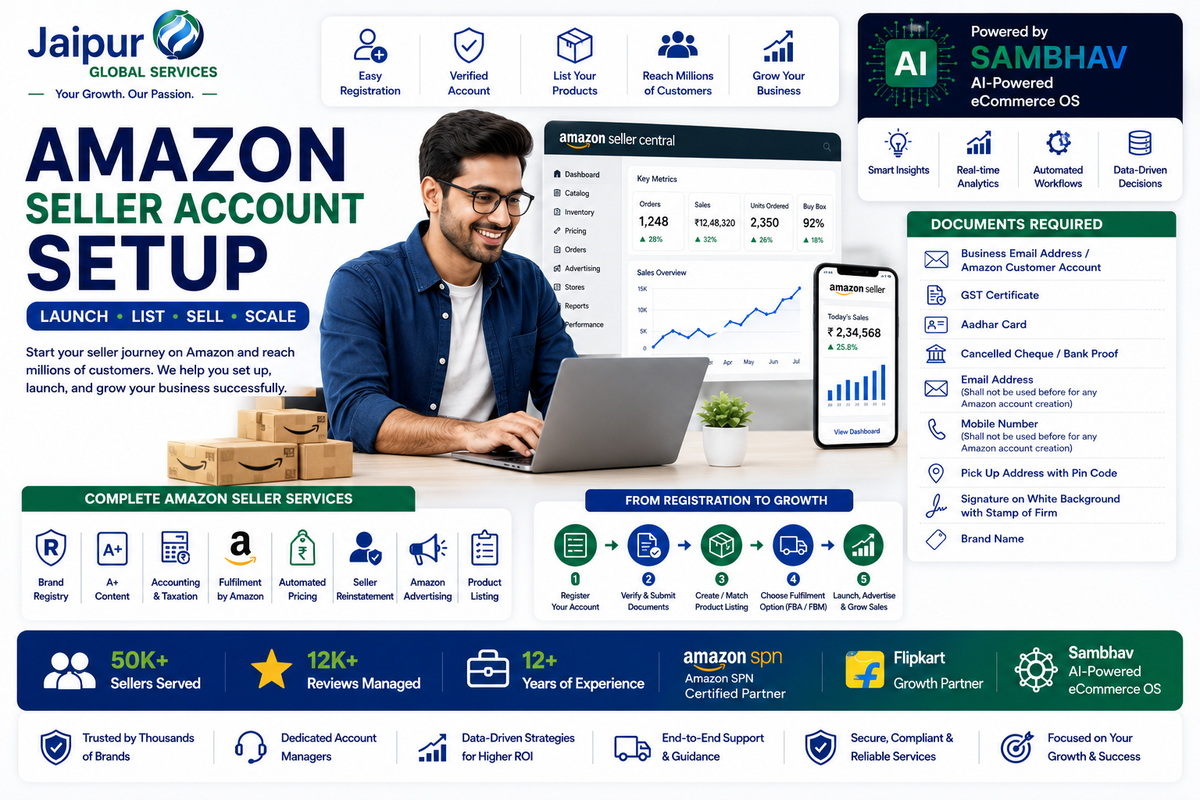
Amazon has become one of the largest ecommerce marketplaces in the world, providing businesses of all sizes with access to millions of potential customers.
Whether you're a manufacturer, wholesaler, retailer, D2C brand, or entrepreneur launching your first product, Amazon offers an opportunity to build and scale an online business without investing heavily in physical retail infrastructure.
However, successful selling starts with setting up your Amazon seller account correctly.
Many new sellers focus only on registration while overlooking critical aspects such as compliance, catalog preparation, brand protection, advertising strategy, and fulfillment planning.
This guide explains everything you need to know about opening an Amazon seller account and preparing for long-term marketplace success.
Why Sell on Amazon?
Amazon provides access to a large customer base and an established ecommerce ecosystem.
Benefits include:
- Nationwide reach
- Trusted marketplace infrastructure
- Secure payment processing
- Fulfillment solutions
- Advertising opportunities
- Brand-building capabilities
For many businesses, Amazon serves as a launchpad for ecommerce growth.
Who Can Sell on Amazon?
Amazon supports a wide range of business types, including:
Manufacturers
Sell directly to end customers and improve margins.
Wholesalers
Expand distribution channels and increase market reach.
Retailers
Supplement offline sales with online growth.
D2C Brands
Build direct customer relationships while leveraging marketplace traffic.
Startups and Entrepreneurs
Launch new products without opening physical stores.
Documents Required for Amazon Seller Account Setup
Before starting registration, keep the following documents ready.
Business Email Address
A valid email address that has not been previously used for Amazon seller registration.
Mobile Number
An active mobile number for account verification.
GST Certificate
Applicable tax registration documents as required under current regulations.
Aadhaar Card
Identity verification document.
Cancelled Cheque or Bank Account Proof
Required for payment settlements.
Pickup Address
A valid pickup address with the correct pin code.
Authorized Signature
Signature on a white background, along with business documentation where required.
Brand Information
Prepare your:
- Brand Name
- Product Categories
- Product Information
before beginning the listing process.
Step-by-Step Amazon Seller Account Registration Process
Step 1: Visit Amazon Seller Central
Go to Amazon Seller Central and begin the registration process.
Step 2: Enter Business Details
Provide:
- Business information
- Contact details
- Tax information
- Banking details
Step 3: Complete Verification
Amazon verifies submitted information before approving the account.
Step 4: Set Up Your Seller Profile
Configure:
- Business information
- Shipping settings
- Return policies
- Customer support details
Step 5: Create Product Listings
You can either:
Match Existing Listings
If the product already exists on Amazon.
or
Create New Listings
If you are introducing a new product to the marketplace.
Essential Steps After Account Creation
Many sellers assume registration is the final step.
In reality, the launch phase is where success is determined.
Product Listing Optimization
High-quality listings improve visibility and conversions.
Focus on:
- Product titles
- Bullet points
- Descriptions
- Images
- Keywords
Brand Registry
Brand Registry helps businesses protect intellectual property and unlock additional branding features.
Benefits include:
- Brand protection
- A+ Content access
- Better control over listings
A+ Content
Enhanced product content improves customer understanding and brand presentation.
Advertising Setup
Amazon advertising helps products gain visibility, especially during the launch phase.
Popular options include:
- Sponsored Products
- Sponsored Brands
- Sponsored Display
Fulfillment Planning
Choose the fulfillment model that aligns with your business goals.
Options may include:
- Fulfillment by Amazon (FBA)
- Self-fulfillment
- Multichannel fulfillment
Common Mistakes New Amazon Sellers Make
Launching Without Keyword Research
Poor keyword targeting reduces discoverability.
Weak Product Images
Images significantly influence buying decisions.
Ignoring Account Health
Performance metrics should be monitored consistently.
Underestimating Inventory Planning
Stockouts can negatively impact sales momentum.
Neglecting Advertising
Even great products often require visibility support during launch.
How AI and Automation Are Changing Amazon Selling
Modern marketplace operations increasingly rely on technology.
Businesses now use automation for:
- Inventory forecasting
- Pricing optimization
- Advertising analysis
- Reporting
- Order management
AI-powered systems help sellers make faster and more informed decisions.
Beyond Amazon: Building an Omnichannel Growth Strategy
While Amazon is a powerful marketplace, many successful brands eventually expand into:
- Flipkart
- Shopify
- Walmart Marketplace
- Blinkit
- Quick-commerce platforms
- D2C websites
Diversifying channels can help reduce dependence on a single marketplace.
Expert Insight from JGS Jaipur Global Services Pvt. Ltd.
Many new sellers believe success on Amazon starts after the first sale.
In reality, success begins before launch.
Businesses that invest time in proper account setup, listing optimization, brand protection, fulfillment planning, and advertising strategy typically create a stronger foundation for sustainable growth.
The most successful sellers treat Amazon as part of a broader ecommerce strategy rather than simply another sales channel.
5 Action Steps You Can Implement Today
1. Organize Required Documents
Prepare all registration documents before starting account creation.
2. Conduct Product Research
Evaluate demand, competition, and profitability.
3. Build Optimized Listings
Prepare titles, images, keywords, and descriptions in advance.
4. Plan Your Fulfillment Strategy
Choose the fulfillment model that best supports your growth goals.
5. Create a Launch Roadmap
Define advertising, inventory, and performance targets for the first 90 days.
FAQs
How do I create an Amazon seller account?
Visit Amazon Seller Central, provide required business information, complete verification, and configure your account settings.
What documents are required for Amazon seller registration?
Typically, sellers need business details, identity verification, banking information, and applicable tax documentation.
Can I sell on Amazon without a brand?
Yes, although building a brand often provides additional long-term advantages.
What is Amazon Brand Registry?
Brand Registry helps protect intellectual property and unlocks advanced branding features.
Is GST required for Amazon sellers?
Requirements depend on applicable regulations and business circumstances.
What is FBA?
Fulfillment by Amazon (FBA) allows Amazon to store, pack, ship, and manage returns for your products.
How long does seller account approval take?
Approval timelines vary depending on verification requirements.
Can I sell on multiple marketplaces after Amazon?
Yes. Many businesses expand to Flipkart, Shopify, Walmart Marketplace, and quick-commerce platforms as they grow.
Conclusion
Amazon remains one of the most effective platforms for launching and scaling an ecommerce business.
However, creating an account is only the first step. Long-term success requires proper planning, optimized listings, strategic advertising, fulfillment efficiency, and continuous performance monitoring.
Businesses that build a strong foundation during the setup phase are often better positioned to grow, scale, and compete successfully in today's evolving ecommerce landscape.