
Event Management Software: Key Features, Benefits and Points to Consider
 June 1, 2026
 Yashwardhan Singh
 0 Comments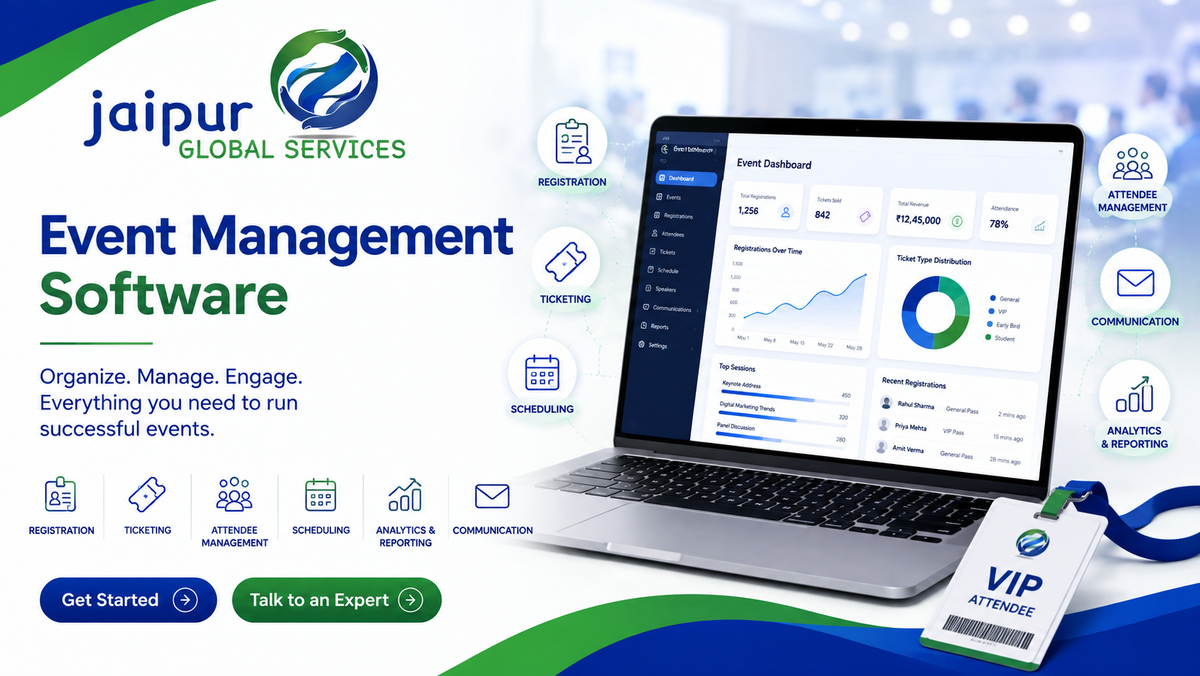
The right event management software can help teams organize registrations, attendees, schedules, communication, reporting, and other event workflows from a more centralized system.
[Get Started] [Talk to an Expert]
Most event teams know the feeling: registration details in one spreadsheet, ticket sales tracked in another, attendee questions scattered across email and WhatsApp, and the final headcount report pulled together manually the night before the event. Each tool works fine on its own, but keeping everything in sync becomes harder as an event grows or as a team runs multiple events at once.
Event management software exists to bring these pieces closer together — registration, ticketing, attendee records, scheduling, communication, and reporting in one connected system rather than several disconnected ones. It doesn't remove the work of planning a good event, but it can reduce how much of that work is manual, repetitive, or easy to lose track of.
This article walks through what event management software actually does, the features worth checking for, the real benefits and limits, and how to evaluate a platform before committing to one.
What Is Event Management Software?
Event management software is a platform designed to help organizations plan, manage, run, and measure events. Depending on the provider, it may support:
- Event registration
- Ticketing
- Attendee management
- Scheduling
- Communication
- Marketing
- Payments
- Venue management
- Speaker management
- Exhibitor management
- Analytics and reporting
Not every platform includes all of these. Some tools focus narrowly on registration and ticketing, while others aim to cover the full event lifecycle from planning through post-event analysis. It's worth checking a platform's actual feature set rather than assuming "event management software" means the same thing across providers.
Why Do Businesses Use Event Management Software?
Centralizing event information
Instead of spreading registration lists, attendee details, schedules, and communication across separate spreadsheets, inboxes, and messaging apps, software brings this information into one place that the whole team can access.
Reducing manual work
Repetitive administrative tasks — sending confirmation emails, updating attendee counts, generating tickets — can often be automated, freeing the team to focus on planning and execution rather than data entry.
Managing registrations
Online registration forms can replace manual sign-up processes, automatically capturing attendee details instead of requiring someone to transcribe them from email or paper forms.
Managing attendee information
A centralized attendee record — registration status, ticket type, check-in status, communication history — is easier to maintain and reference than information split across multiple files.
Improving team coordination
When schedules, tasks, and event information live in a shared system, team members aren't relying on the latest version of a spreadsheet being emailed around.
Supporting communication
Automated reminders and event updates, where supported, help keep attendees informed without the team manually sending every message.
Tracking event performance
Reporting and analytics give organizers a clearer picture of registrations, attendance, and engagement — useful both during the event and for planning the next one.
None of this eliminates manual work entirely. Software reduces repetitive administrative tasks, but planning, coordination, and problem-solving during an event still require a capable team.
Key Features of Event Management Software
Feature sets vary between providers, so it's worth treating this as a checklist to evaluate against — not a guarantee of what every platform includes.
Event registration — Registration forms, attendee data collection, confirmation emails, and registration tracking are core to most platforms.
Ticketing — Common capabilities include multiple ticket types, pricing tiers, ticket sales, digital tickets, and check-in support. Availability of specific ticketing features varies by provider.
Attendee management — Attendee profiles, guest lists, registration status, check-in information, and communication history, typically centralized in one dashboard.
Event scheduling — Managing sessions, agendas, speakers, time slots, and room or venue allocation, particularly useful for multi-session events like conferences.
Event website or landing page — Some platforms include tools to build a basic event page for registration and information, reducing the need for separate web development.
Payment management — Online payment processing, ticket payments, and payment tracking. Not every platform handles full invoicing or accounting — check this specifically if it matters for your business.
Email and communication — Confirmation messages, reminders, event updates, and post-event follow-up, often automated based on triggers like registration or check-in.
Event marketing — Features like promotional campaigns, email marketing, shareable registration links, and basic tracking. The depth of marketing automation varies significantly between platforms.
Analytics and reporting — Registration numbers, attendance, ticket sales, engagement metrics, campaign performance, and post-event feedback.
Mobile access — Useful for on-site teams who need to check attendees in, view schedules, or access attendee information from a phone rather than a laptop.
Integrations — Potential connections to CRM systems, payment gateways, email platforms, marketing tools, accounting software, and calendars. Available integrations differ widely between platforms, so this is worth confirming directly.
Security and access control — User permissions, secure login, and data protection practices. Specific security certifications and practices vary by provider and are worth asking about directly.
Benefits of Event Management Software
- Centralized event information instead of scattered spreadsheets and inboxes
- Reduced administrative effort through automation of repetitive tasks
- Better registration management with fewer manual errors
- Improved attendee communication through automated confirmations and reminders
- Easier scheduling for sessions, speakers, and venues
- Better team collaboration through shared access to event data
- More organized event data that's easier to search and reference
- Faster access to reports during and after the event
- Better visibility into event performance through analytics
- More scalable event operations as event size or frequency grows
These benefits depend heavily on the software chosen, how well it's implemented, how thoroughly the team adopts it, and how well it matches the actual requirements of the events being run. Software alone doesn't guarantee smoother events — it needs to be set up and used well.
Event Planning Software vs Event Management Software
These terms are often used interchangeably, but they can carry different emphasis depending on the provider.
Event Planning Software
Event Management Software
Often focused on planning workflows
Often covers broader event operations
Tasks and internal schedules
Registration and attendee management
Team coordination
Ticketing and check-in
Project timelines
Reporting and analytics
Vendor and task management
Marketing and communication
Terminology varies between providers — some sell "event planning software" that includes registration and ticketing, while others use "event management software" for tools focused mainly on internal task tracking. It's more useful to compare actual features than to rely on the product category name.
Event Management Software for Different Event Types
Corporate events typically need attendee tracking, internal communication tools, and reporting aligned with business objectives.
Conferences often require detailed session scheduling, speaker management, and multi-track agenda tools.
Exhibitions and trade shows benefit from exhibitor management, floor plan tools, and lead capture features.
Workshops and training events usually need registration, attendance tracking, and sometimes certification or completion tracking.
Weddings and social events tend to prioritize guest list management, RSVPs, and simpler communication tools over complex analytics.
Webinars and virtual events require streaming integration, virtual attendee engagement tools, and online session management.
Hybrid events need both in-person tools (check-in, venue management) and virtual tools (streaming, remote attendee engagement) working together.
Software built primarily for one event type doesn't always translate well to another — it's worth checking whether a platform's core strength actually matches your event format.
How Event Management Software Supports Attendee Experience
Software can support a smoother attendee experience through easy registration, timely confirmation messages, accessible event schedules, digital tickets, faster check-in, session information, event updates, and post-event feedback collection.
That said, software is only one part of the attendee experience. Venue quality, staff, the actual event content, communication tone, and event design all shape how attendees feel about an event — good software supports a smooth process, but it doesn't replace good planning and execution.
Event Management Software and Automation
Common automation possibilities include registration confirmations, reminder emails, ticket generation, attendance tracking, notifications, report generation, and post-event follow-up communication.
Automation reduces repetitive administrative work, but it still needs to be configured correctly and monitored — an automated reminder sequence with the wrong timing, or a check-in system that isn't tested beforehand, can create more problems than it solves.
Event Management Software Analytics and Reporting
Data matters both during and after an event. Useful reporting typically covers registrations, attendance rate, ticket sales, revenue, session-level attendance, engagement metrics, marketing campaign performance, and post-event feedback.
The exact reports available depend heavily on the software — some platforms offer detailed, customizable dashboards, while others provide only basic summary numbers. If reporting depth matters for your planning process, it's worth reviewing sample reports before choosing a platform.
How to Choose Event Management Software
Event type — Does the platform genuinely fit your event format (conference, exhibition, corporate event, webinar, etc.)?
Number of attendees — Can it comfortably support your expected event volume, including peak registration periods?
Registration requirements — Does it support the registration workflow your event actually needs?
Ticketing — Does it handle the ticket types and pricing structure you require?
Payment integration — Can it support the payment methods your attendees and business need?
Communication — Does it support the reminders and updates your event relies on?
Analytics — Does its reporting give you information you'll actually use?
Integrations — Can it connect with the CRM, marketing, or accounting tools you already use?
Mobile access — Can your on-site team access what they need from a phone during the event?
Security — Does it provide security and privacy controls appropriate for the attendee data you'll collect?
Ease of use — Can your team realistically learn and use the system without extensive training?
Scalability — Can it support larger or more frequent events as your needs grow?
Questions to Ask Before Buying Event Management Software
- What types of events does the software support?
- How many attendees can it handle comfortably?
- Does it include registration as a core feature?
- Does it support ticketing, and what ticket types?
- Can it integrate with the payment gateways we need?
- Does it provide analytics, and how customizable are the reports?
- Can it integrate with our CRM or marketing tools?
- Is mobile access available for on-site staff?
- What level of customer support is provided, and when?
- How is pricing calculated?
- Are there setup fees or transaction fees on top of the subscription?
- Can the platform scale as our events grow in size or frequency?
Common Mistakes When Choosing Event Software
- Choosing software based only on price, without checking whether it covers your actual requirements
- Buying too many features, paying for capabilities the team will never use
- Ignoring integrations, leading to manual data transfer between systems anyway
- Ignoring mobile access, which matters more than expected once you're on-site
- Not testing the registration process as an actual attendee would experience it
- Ignoring attendee experience, focusing only on internal admin convenience
- Not checking reporting capabilities until after the event, when it's too late to adjust
- Ignoring security and privacy practices, especially for events collecting sensitive attendee data
- Not checking scalability, then outgrowing the platform within a year
- Not training the event team, leaving powerful features unused because no one knows how to use them
Event Management Software Cost
Pricing structures vary considerably between providers and typically depend on factors such as number of attendees, number of events, feature set, ticketing volume, required integrations, and whether enterprise-level support is needed.
Common pricing models include monthly or annual subscriptions, per-event fees, per-attendee fees, ticket transaction fees, and custom enterprise pricing for larger organizations. Rather than relying on general benchmarks, it's worth requesting a detailed quote based on your specific event volume and feature requirements, since costs can shift significantly based on scale and included features.
Event Management Software in India
For businesses evaluating event management software in the Indian market, a few considerations are worth checking directly with any provider:
- Whether pricing is available in INR
- Support for local payment methods
- GST-compliant invoicing, where relevant to your business
- Availability of support during Indian business hours
- Data privacy and storage practices relevant to your compliance needs
- Mobile-first usability, given high mobile usage among Indian attendees
- Multi-language support, where relevant to your audience
Not every platform available in India supports all of these — it's worth confirming directly rather than assuming based on general availability.
How JGS Can Help
JGS does not currently offer a dedicated event management software product. Rather than stretch this article to suggest otherwise, it's worth being direct about that.
Where JGS's actual services may be relevant is on the web development side. JGS provides website design and development services, including custom development using frameworks suited to specific business requirements. For an event business that needs a custom registration page, an event website, or a website built around a specific event workflow — rather than a full off-the-shelf event management platform — this kind of custom web development work may be a relevant starting point.
Looking for a technology solution tailored to your business requirements? Talk to JGS about your web development needs.
[Get Started With JGS] [Talk to an Expert]
Frequently Asked Questions
1. What is event management software?
Event management software is a platform designed to help organizations plan, run, and measure events, often covering registration, ticketing, attendee management, scheduling, and reporting.
2. What are the main features of event management software?
Common features include registration, ticketing, attendee management, scheduling, communication tools, analytics, mobile access, and integrations — though exact features vary by platform.
3. What are the benefits of event management software?
Benefits typically include centralized event data, reduced administrative work, better attendee communication, easier scheduling, and clearer visibility into event performance through reporting.
4. What is the difference between event planning software and event management software?
The terms often overlap. Event planning software tends to emphasize internal tasks and timelines, while event management software often covers broader operations like registration, ticketing, and analytics — though this varies by provider.
5. Can event management software handle registrations?
Yes, registration is a core feature in most event management platforms, typically including online forms, data collection, and confirmation emails.
6. Can event management software manage ticketing?
Most platforms support some form of ticketing, including ticket types, pricing, and digital tickets, though the depth of ticketing features varies between providers.
7. Does event management software provide analytics?
Most platforms offer some level of reporting on registrations, attendance, and engagement, though the depth and customizability of analytics differ significantly between providers.
8. How much does event management software cost?
Pricing varies based on attendee volume, features, and provider, with common models including subscriptions, per-event fees, and per-attendee or transaction fees. It's best to request a quote based on your specific needs.
9. How do I choose the right event management software?
Start with your actual requirements — event type, attendee volume, registration and ticketing needs, integrations, and budget — and compare platforms against that checklist rather than choosing based on feature count alone.
10. Is event management software useful for small events?
It can be, particularly for reducing manual registration and communication work, though smaller events may not need the full feature set that larger platforms are built around. Simpler or lower-cost tools are often a better fit at smaller scale.
Conclusion
The right event management software should solve real operational problems — not simply offer the largest possible feature list. The most useful areas to evaluate are registration, ticketing, attendee management, scheduling, communication, analytics, integrations, mobile access, security, scalability, and ease of use.
The best choice ultimately depends on your event type, expected size, business requirements, budget, and how well the platform fits into the tools your team already uses. Testing a platform against your actual workflow — not just its feature list — remains the most reliable way to know if it's the right fit.