
Shopify vs WordPress for Ecommerce: Which Is Better for Your Online Store?
 June 1, 2026
 Yashwardhan Singh
 0 Comments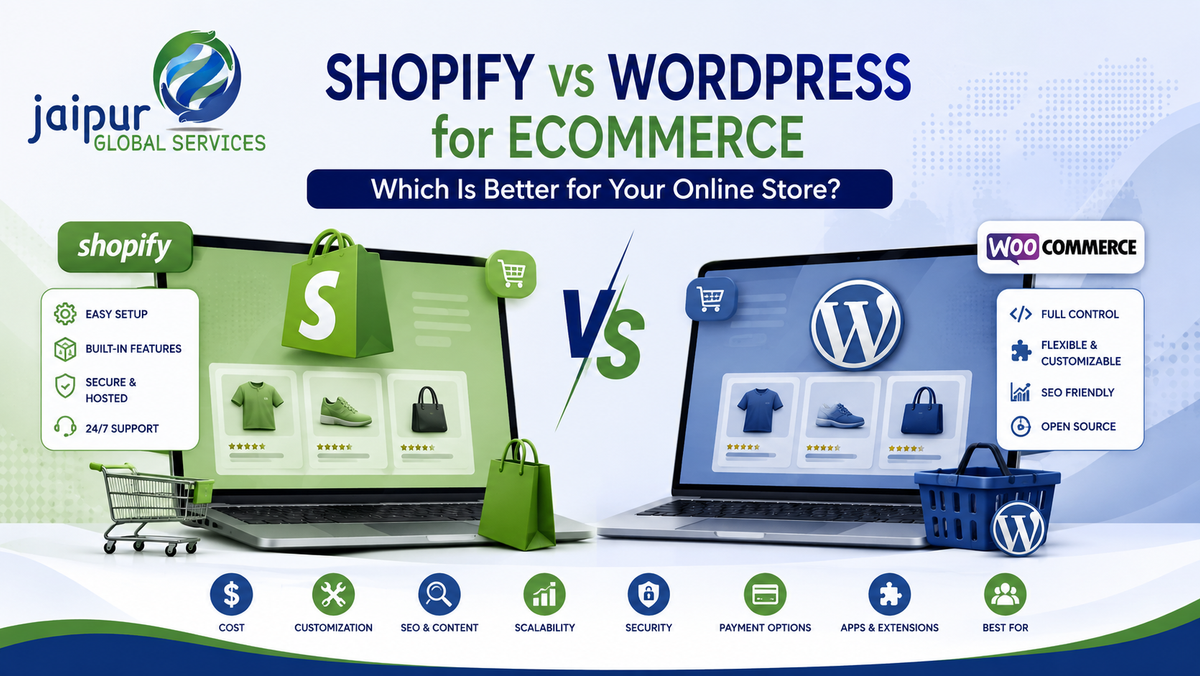
A team is getting ready to launch an online store. One person pushes for Shopify because it's faster to set up. Another argues for WordPress because it gives more control over design and content. A third points out that WooCommerce itself is free and open source, so why pay a monthly subscription at all?
Everyone is partly right, and that's the problem. There's no universal answer to "Shopify vs WordPress." The right platform depends on the business's budget, technical resources, content plans, customization needs and how much operational responsibility the team wants to take on. This article compares Shopify with WordPress plus WooCommerce across the factors that matter for a growing ecommerce business, so you can decide based on your situation rather than someone else's opinion.
Shopify vs WordPress: What Is the Difference?
This comparison gets muddled from the start because Shopify, WordPress and WooCommerce aren't three competitors in the same category — they're two different kinds of tools.
Shopify is a hosted commerce platform. It bundles hosting, storefront, checkout, payments, inventory, order management, themes, apps and developer APIs into one subscription. You sign up, choose a plan, and Shopify runs the infrastructure.
WordPress is an open-source content management system (CMS), built for publishing pages, posts and media. On its own, it has no shopping cart or checkout.
WooCommerce is the open-source ecommerce plugin most commonly added to WordPress to turn it into a store. WooCommerce describes its core platform as free, flexible and built for full ownership of your store's content and data.
So the real comparison is Shopify (one hosted product) versus WordPress + WooCommerce (a CMS plus an ecommerce plugin, generally self-hosted). Treating "WordPress" alone as a Shopify-equivalent misrepresents what it does — it needs WooCommerce, or a similar plugin, before it can sell anything.
Shopify vs WordPress + WooCommerce at a Glance
Shopify
WordPress + WooCommerce
Platform type
Hosted, managed SaaS commerce platform
Open-source CMS + open-source ecommerce plugin
Hosting
Included and managed
Self-managed, chosen separately
Ecommerce features
Built in from day one
Added via WooCommerce and extensions
Ease of setup
Generally faster out of the box
Depends on hosting, theme and plugin choices
Customization
Extensive within Shopify's themes, apps and APIs
Extensive at the code level; effectively unrestricted with dev resources
Technical expertise needed
Lower for standard stores
Higher, especially for hosting, security and plugins
SEO
Strong built-in fundamentals
Strong flexibility for content-heavy sites
Content management
Functional, improving over time
Best-in-class; WordPress's original strength
Security
Platform-level, managed by Shopify
Shared responsibility: host, WP core, WooCommerce, plugins
Maintenance
Handled by Shopify
Handled by the site owner or developer
Apps/plugins
Shopify App Store
WordPress plugin ecosystem + WooCommerce extensions
Payment options
Shopify Payments + many gateways
100+ gateways incl. Stripe, PayPal, WooPayments
Checkout
Managed; deep customization on Shopify Plus
Fully customizable at the code level
Scalability
Managed infrastructure; Shopify Plus for enterprise
Scales with the right hosting/architecture decisions
B2B
Native features across current plans
Achievable through extensions and custom development
International ecommerce
Built-in multi-currency, multi-market tools
Achievable through plugins and localization work
Multichannel selling
Strong native marketplace/social integrations
Achievable via plugins and APIs, more setup
Ownership/control
Runs within Shopify's platform and rules
Full ownership of code, data and hosting
Typical use case
Ecommerce-first, wants speed and low maintenance
Content-heavy, existing WordPress site, wants full control
Complexity on either platform depends heavily on implementation — a poorly built Shopify store can be just as clunky as a poorly built WooCommerce one, and vice versa.
Shopify: Advantages and Limitations
Shopify's core appeal is a managed, ecommerce-first platform: hosting, checkout, PCI-related groundwork and platform-level security are handled for you, and commerce features are built in rather than assembled from plugins, so setup is generally faster. Its app ecosystem and theme store cover most common needs, Shopify POS connects online and in-person sales, and developer APIs plus the Liquid templating language give real room to customize. As of 2026, Shopify has extended native B2B functionality across its standard plans, not just Shopify Plus, and added tools aimed at AI-driven shopping discovery.
The trade-off is control. You're building inside Shopify's rules, so some checkout customization (fully custom checkout logic is largely a Plus feature) and certain integrations depend on your plan tier or available apps. Shopify runs on a subscription, and app costs, premium themes and development work push the real monthly cost above the advertised plan fee. Highly non-standard functionality may require development through Shopify's app or Functions framework rather than direct core code access.
WordPress + WooCommerce: Advantages and Limitations
WooCommerce's core advantage is architectural: it's open source, giving businesses full ownership of their store's code, content and data. Nothing is locked behind a vendor — you choose your own host and can move the site without a vendor-controlled migration process. WordPress is also the stronger CMS of the two: if the business runs a large blog or complex content structures alongside the store, WordPress's publishing tools are generally more mature than Shopify's. WooCommerce supports 100+ payment gateways, subscriptions, bookings, multilingual storefronts, and its REST API makes custom and headless builds straightforward.
The trade-off is responsibility. Hosting selection, core and plugin updates, and general server maintenance fall to the site owner, host, or developer rather than a single managed vendor — this isn't a WooCommerce security flaw, but it does shift the workload. Plugin compatibility issues are a common practical headache, and performance depends heavily on hosting quality: a WooCommerce store on cheap shared hosting will generally underperform one on managed WooCommerce hosting.
Ease of Use, SEO and Content
For a non-technical founder or small team, Shopify's admin is generally more approachable day-to-day, since commerce tasks live in one purpose-built interface. WordPress + WooCommerce can be just as usable once set up, but initial setup and ongoing maintenance benefit from in-house or agency development support — the learning curve is front-loaded into setup rather than daily use.
On SEO, neither platform automatically outranks the other; performance depends on implementation, content quality, technical health, authority and search intent far more than platform choice. Shopify provides solid built-in fundamentals — editable meta tags, clean URLs, automatic sitemaps, canonical handling, basic schema on many themes. WordPress generally offers more granular technical control and stronger native support for large content architectures. If content marketing is central to the strategy, WordPress's CMS tooling is the more natural fit; if ecommerce is the primary purpose with modest content needs, Shopify's built-in basics are usually sufficient. Shopify's blog has grown more capable over time, so claims that it "can't do content marketing" are outdated — but WordPress remains the stronger platform for heavy editorial operations.
Customization
WooCommerce, being open source, generally gives developers the deepest control — direct codebase access means no real ceiling on what can be built, given time and budget. Shopify offers extensive customization too, within a managed framework: themes, Liquid, a large app ecosystem, and developer APIs (Storefront API, Admin API, Shopify Functions) that support significant custom and headless work. The difference is architectural — WooCommerce customization happens by editing open code directly; Shopify customization happens by building within (and around) a platform that still controls the core. Neither has literally unlimited customization: WooCommerce's limits are practical (time, budget, skill), Shopify's are structural (what the platform exposes).
Cost
It's inaccurate to say "WooCommerce is free, Shopify is paid" — the plugin is free, but running a store isn't, and total cost of ownership depends on the full stack either way.
Shopify costs typically include: the subscription (as of 2026, Shopify's published US pricing runs from a $5/month Starter plan, through Basic at roughly $39/month, Grow at roughly $105/month, Advanced at roughly $399/month — lower on annual billing — up to Shopify Plus starting around 2,300–2,500/month); payment processing; paid apps; premium themes; and custom development. Pricing varies by country and changes over time, so treat these as approximate and verify on Shopify's current pricing page.
WooCommerce costs typically include: hosting (from budget shared hosting to managed WooCommerce hosting); a domain; premium extensions and themes where needed; security and backup tooling; payment processing; and development or maintenance support.
In practice, a well-built store on either platform tends to land in a broadly comparable monthly range once apps, plugins, hosting, fees and maintenance are counted — the difference is less about which is "cheaper" and more about where the money goes: subscription and apps on Shopify, versus hosting, extensions and technical labor on WooCommerce.
Security and Performance
Shopify handles security at the platform level — hosting, SSL and PCI-DSS-related groundwork are part of the subscription, reducing the security work merchants do directly. WooCommerce is open-source software, so security is a shared responsibility across hosting, WordPress core, WooCommerce and every installed plugin and theme. That's not the same as saying WooCommerce is unsafe — millions of stores run it securely — but updates and best practices are the site owner's or developer's job rather than a single vendor's.
Performance isn't guaranteed by either platform alone. A well-optimized WooCommerce store on solid hosting can perform very well; a poorly built Shopify store with too many apps and unoptimized images can be slow. On Shopify, hosting and CDN are handled for you, so performance work centers on theme, app load and images. On WooCommerce, performance also depends on hosting quality, caching and database health — more variables, but more room to tune.
Scalability, B2B, International and Multichannel Selling
Both platforms can handle real scale, but the path differs. Shopify offers managed infrastructure that scales without merchant-side server planning, plus Shopify Plus for high-volume, multi-store, multi-market operations. WooCommerce can scale to large catalogs and high traffic too, but generally needs more deliberate infrastructure planning — better hosting tiers, caching, database optimization — as complexity grows.
B2B: As of 2026, Shopify has extended core B2B features — company accounts, customer-specific pricing, catalogs — across its standard plans, though the most advanced tooling still concentrates at the Plus tier. WooCommerce supports B2B mainly through dedicated extensions adding wholesale pricing, minimum-order rules and approval workflows. Both ecosystems support B2B; Shopify's is increasingly native, WooCommerce's is assembled.
International selling: Shopify includes built-in multi-currency pricing, market-specific storefronts and localized checkout. WooCommerce achieves this through plugins and WordPress's translation ecosystem — workable, but more setup. Neither platform automatically handles every country's tax, customs or legal requirements.
Multichannel and integrations: Both connect to marketplaces, social channels, ERP, CRM and accounting tools — Shopify through its Admin/Storefront APIs, webhooks and app marketplace; WooCommerce through its REST API and the WordPress plugin ecosystem. Shopify tends to have more native first-party marketplace integrations; WooCommerce relies more on third-party plugins and custom API work. In both cases, integration quality matters more day-to-day than the platform name.
Website Design
Both platforms can produce professionally designed, well-branded stores — the ceiling on design quality is set more by the design work than the platform. Shopify offers a curated theme store that's quick to customize within its editor, plus Liquid access for developers. WordPress offers a much larger universe of themes and page builders (Divi, Elementor) with more granular layout control, at the cost of a steeper setup process. The practical difference is development approach and ongoing maintenance, not raw design capability.
Which Platform Fits Which Business?
Small businesses: Shopify tends to suit those without in-house technical staff who want to launch quickly with ecommerce as the clear primary purpose. WordPress + WooCommerce tends to suit those with an existing WordPress site, strong content plans, or in-house technical skill.
Growing brands: Shopify becomes increasingly attractive as SKUs, traffic, markets and channel complexity grow, since it absorbs that growth without a proportional rise in internal DevOps work. WooCommerce can keep working well for brands with substantial existing custom WordPress functionality and a technical team able to manage scaling infrastructure themselves.
Enterprise: The comparison becomes Shopify Plus versus advanced custom WooCommerce builds. Shopify Plus offers dedicated infrastructure, checkout extensibility, Shopify Functions and multiple expansion stores within a managed model. Advanced WooCommerce implementations, often built by specialized agencies on enterprise-grade hosting, can match that scale with more direct infrastructure control, generally at the cost of a larger team to maintain it. Neither is automatically the right enterprise choice.
Shopify vs WordPress Decision Matrix
Business Requirement
Better Fit
Why
Fast launch, minimal setup
Shopify
Hosting, checkout and commerce features built in
Easy management, no developer on staff
Shopify
Admin built for non-technical operators
Strong blogging / large content operation
WordPress + WooCommerce
More mature CMS for complex content
Maximum code-level control
WordPress + WooCommerce
Open-source access to the full codebase
Open-source flexibility, no lock-in
WordPress + WooCommerce
Full ownership of code, data, hosting
Ecommerce-first, low maintenance
Shopify
Managed platform handles updates and infrastructure
Content-heavy site, ecommerce secondary
WordPress + WooCommerce
Built as a CMS first
Fast international expansion
Shopify
Built-in multi-currency and multi-market tools
Small team, no developer
Shopify
Lower technical burden
In-house technical team
WordPress + WooCommerce
Full advantage of open-source control
Complex, specific integrations
WordPress + WooCommerce
Direct code access simplifies custom work
Enterprise-scale, high GMV
Either
Depends on existing technical investment
Existing WordPress website
WordPress + WooCommerce
Avoids rebuilding a functioning content site
Multiple marketplaces, native
Shopify
Stronger first-party integrations
Heavy custom development
WordPress + WooCommerce
Fewer structural constraints
Shopify vs WooCommerce: Pros and Cons
Shopify — Pros: Managed hosting; ecommerce-first feature set; faster setup; lower day-to-day maintenance; strong app ecosystem; built-in checkout, inventory and B2B tools. Shopify — Cons: Ongoing subscription and app costs; less infrastructure control; some advanced needs still require development within Shopify's framework.
WooCommerce — Pros: Open source, no platform lock-in; deep code-level customization; strong WordPress content ecosystem; full control over hosting, code and data. WooCommerce — Cons: More maintenance responsibility; hosting sourced and managed separately; plugin compatibility needs monitoring; more technical overhead overall.
Should You Migrate?
WooCommerce to Shopify can make sense when maintenance has become a real burden — frequent plugin conflicts, security patching eating into team time — or when international expansion calls for Shopify's built-in multi-market tools, or the team wants an easier admin without a developer on call. It usually isn't necessary when the current site performs well, the technical team manages it effectively, or core functionality depends on WordPress-specific customization that would be costly to rebuild.
Shopify to WooCommerce can make sense when a business needs deeper open-source control, already has (or is building) a large WordPress content site, has hosting-level requirements Shopify can't meet, or has custom development needs that don't fit Shopify's app and API model. Neither move should be a default recommendation — both depend on a genuine business case, not platform preference.
Common Mistakes When Choosing an Ecommerce Platform
Choosing on price alone without total cost of ownership; choosing based on popularity rather than fit; underestimating ongoing maintenance; ignoring integration needs until after launch; treating SEO as an afterthought; not planning for future growth; underestimating content requirements; misjudging available technical resources; ignoring migration costs; focusing only on design while ignoring backend operations; and installing too many apps or plugins early, creating performance and maintenance debt later.
How JGS Can Help Choose and Develop the Right Ecommerce Platform
Choosing between Shopify and WordPress + WooCommerce isn't a decision to make from a feature checklist alone — it depends on your specific business requirements, technical resources and growth plans. JGS is a listed Shopify Partner with over a decade of ecommerce experience, working with businesses on evaluating platform requirements, planning and building Shopify stores, and supporting store optimization as businesses scale — including store design and setup, theme customization, payment and shipping configuration, app integration, and ongoing troubleshooting. JGS also supports broader ecommerce website development and international/global ecommerce setup, connecting storefronts with the marketplace operations many clients already run on Amazon and Flipkart.
We won't tell you Shopify is automatically the right answer, or that migrating platforms will fix problems that aren't actually platform problems. What we can do is help you evaluate what your business actually needs and build accordingly — without guaranteeing sales, conversions, rankings or revenue outcomes that depend on far more than platform choice.
Not sure whether Shopify or WordPress + WooCommerce is the right fit for your business? JGS can help you evaluate your requirements and choose an ecommerce approach built around your goals.
Talk to an Ecommerce Consultant
Final Verdict — Shopify or WordPress?
There isn't a simplistic winner, and any comparison that gives you one should be treated with some skepticism.
Choose Shopify when: you want faster implementation, prefer managed infrastructure and lower technical maintenance, ecommerce is the primary purpose of the site, your team doesn't have (or want to rely on) in-house development resources, and you plan to scale across channels or markets.
Choose WordPress + WooCommerce when: content is central to your business, you already have an established WordPress site, you need extensive open-source control, your team has real technical expertise, and you need highly customized functionality that doesn't fit a managed platform's rules.
The better platform is the one that matches your business requirements, not the one with the longer feature list.
Frequently Asked Questions
Is Shopify better than WordPress for ecommerce?
Neither is universally better. Shopify suits businesses wanting managed infrastructure and faster setup; WordPress + WooCommerce suits those wanting open-source control and strong content capabilities.
What is the difference between Shopify and WordPress?
Shopify is a hosted, ecommerce-first commerce platform. WordPress is a CMS that needs a plugin like WooCommerce added before it can function as a store.
Is Shopify better than WooCommerce?
It depends on the comparison point — Shopify generally wins on ease of setup and managed maintenance; WooCommerce generally wins on open-source customization and control.
Is Shopify cheaper than WooCommerce?
Not necessarily. WooCommerce the plugin is free, but hosting, extensions, security and maintenance add real ongoing cost. Total cost of ownership depends on the full stack, not the headline price.
Which is better for SEO, Shopify or WordPress?
Both can perform well. WordPress generally offers more granular technical SEO control for large content sites; Shopify provides strong built-in fundamentals in a managed environment. Results depend far more on implementation and content than platform choice.
Which is easier to manage, Shopify or WooCommerce?
For day-to-day operations without a developer, Shopify is generally easier. WooCommerce can be equally manageable for teams with existing WordPress or development expertise.
Which is better for customization?
WooCommerce generally allows deeper code-level customization. Shopify offers extensive customization within its managed platform, themes, apps and APIs.
Which platform is better for small businesses?
Shopify often suits small businesses without technical staff wanting to launch quickly. WordPress + WooCommerce can suit small businesses with existing WordPress sites, content plans, or technical skills.
Which platform is better for large ecommerce businesses?
Both can support large-scale operations — Shopify Plus for managed enterprise infrastructure, or an advanced custom WooCommerce build for businesses wanting full infrastructure control.
Can I migrate from WooCommerce to Shopify?
Yes, it's a well-established process, though it involves planning around product data, content, redirects and any custom functionality that needs rebuilding.
Can Shopify integrate with WordPress?
Yes — a common setup uses WordPress for content and blogging while Shopify (via Buy Button or Storefront API) or a headless integration handles ecommerce.
Which platform should I choose for my ecommerce business?
It depends on your budget, technical resources, content needs, customization requirements and growth plans — there's no single correct answer independent of your business.
Conclusion
Shopify and WordPress + WooCommerce are both capable, mature ecommerce solutions used by millions of stores worldwide. Shopify is often the simpler choice for businesses that want managed ecommerce infrastructure and faster implementation, while WordPress + WooCommerce can be a stronger fit for businesses that prioritize open-source flexibility, content control and deep customization. The right choice depends on your business goals, technical resources, budget, content requirements, growth plans, integration needs and how much ongoing maintenance your team wants to take on.
Not sure whether Shopify or WordPress + WooCommerce is the right fit for your business? JGS can help you evaluate your requirements and choose an ecommerce approach built around your goals.