
Amazon Product Videos: 5 Common Types and How to Create Them
 June 1, 2026
 Yashwardhan Singh
 0 Comments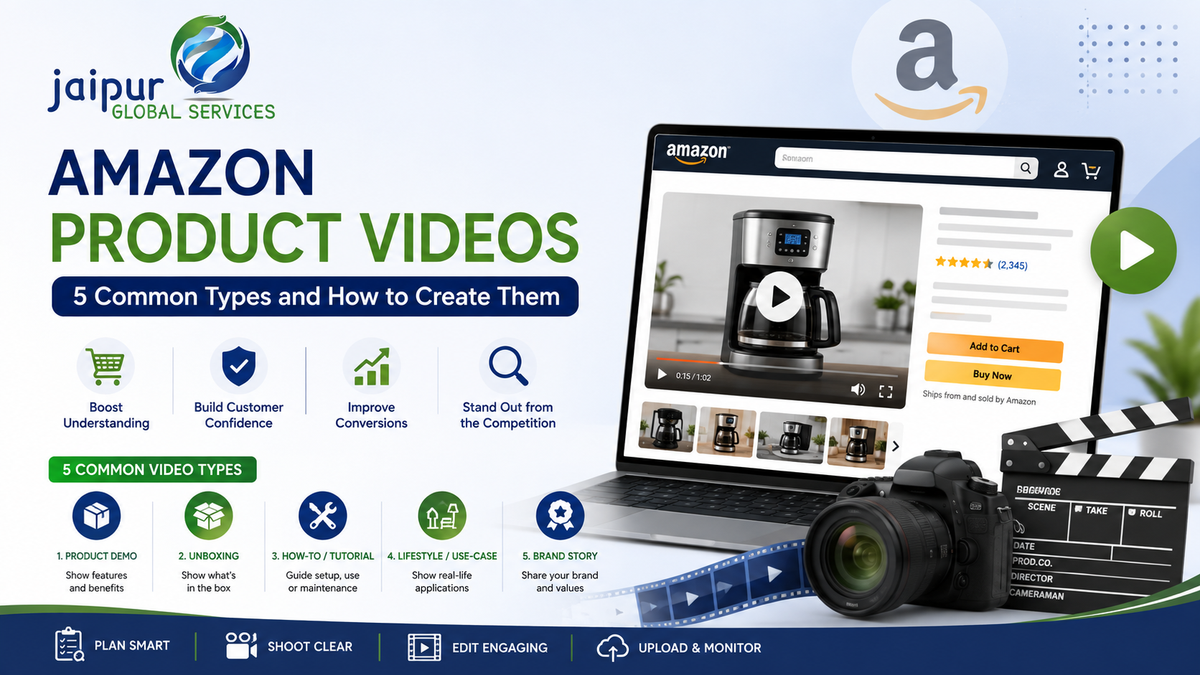
A shopper can see a product image and read the bullet points, but some things are hard to understand from static content alone. How does a kitchen appliance actually work? What does a beauty product feel like going on? How is a piece of furniture assembled? What exactly comes inside the box? How big is the product once it's out of the packaging and sitting on a counter?
Images tell a shopper what a product looks like. Video can show how it works, how it's used, what comes in the box, and how it solves the problem that brought the shopper to the listing in the first place. This guide covers what Amazon product videos are, the five video types most sellers use, where videos can appear on Amazon, and how to plan and produce one — without promising results video alone can't guarantee.
What Are Amazon Product Videos?
Amazon product videos are videos created to help shoppers understand a product — its features, functionality, use cases or brand — placed on or near a product's detail page. They're different from Amazon's paid video advertising. Three distinct video placements exist on Amazon, and it's worth being precise about which is which:
- Product detail page videos (shoppable videos): organic video content uploaded to a product listing, shown in the main media block alongside product images.
- A+ Content videos: video embedded within a brand's A+ Content, shown in the product description area of eligible listings.
- Sponsored Brands video ads: paid advertising placements that appear in search results and elsewhere, run through Amazon Ads.
These serve different purposes and have different eligibility requirements, covered below. Treating them as interchangeable is one of the most common mistakes sellers make when planning video content.
Why Amazon Product Videos Matter
They demonstrate functionality. Showing a product in action communicates more than describing it in bullet points.
They explain complex features. Electronics, appliances, tools, fitness equipment and anything with a learning curve benefit from being shown rather than just described.
They build customer confidence. Seeing a product used in a realistic way helps shoppers feel more certain about what they're buying.
They show real scale. Size, fit, texture and how a product behaves in the real world are hard to communicate through photos alone.
They answer common buyer questions. Frequent questions — "does this fit X," "how loud is it," "how long does setup take" — can be answered visually instead of through repeated customer service replies.
They support the purchase decision. More complete information generally helps shoppers decide with more confidence, though the purchase decision still depends on price, reviews, competition and the product itself.
Amazon's own materials describe product videos as something that can show features and functionality static images can't, and can help build customer confidence — that's a reasonable way to think about what video does. It's not a claim that video guarantees a sale or a ranking improvement, and this article won't make that claim either.
5 Common Types of Amazon Product Videos
1. Product Demo / Overview Video
Shows the product in use and highlights its most important features. Best for electronics, appliances, kitchen products, tools, fitness equipment and general consumer goods.
Structure: brief product introduction → the problem it solves → product in action → key features → benefits → closing product shot.
Mistake to avoid: spending too long on a logo animation or brand intro before showing the product. Shoppers should see the product within the first few seconds.
2. Unboxing Video
Shows the packaging, the product itself, included accessories, documentation and first setup. Useful for products where what's included matters — bundles, kits, anything with multiple components.
Unboxing videos can reduce uncertainty about exactly what a customer will receive. They're not a guaranteed conversion tactic on their own — they work best when the product genuinely benefits from clarity around contents and packaging.
3. How-To / Tutorial Video
Shows installation, setup, assembly, usage, cleaning or maintenance. Best for products that require instructions: coffee machines, garment steamers, flat-pack furniture, electronics, fitness equipment, kitchen appliances.
A good how-to video stays focused on the customer's task rather than turning into a promotional pitch. If the video is meant to help someone assemble a product, it should look and feel like an instructional video, not an ad.
4. Lifestyle / Use-Case Video
Places the product in a realistic environment: home décor styled in a room, a fitness product mid-workout, a beauty product as part of a routine, a travel accessory in use while traveling, a kitchen product during actual cooking.
Lifestyle videos help shoppers picture how a product fits into their own routine or space, which static product-only shots don't always convey.
5. Brand Story / Product Story Video
Focuses on brand purpose, product philosophy, craftsmanship, materials or manufacturing — while keeping the product central. The risk with this format is drifting into a corporate video with little connection to the actual product being sold. The product should still be visible and relevant throughout, not just implied by a brand message.
Matching Video Type to the Customer Journey
One product can benefit from more than one video type, matched to where the shopper is in their decision process:
- Awareness: brand or lifestyle video
- Consideration: product overview or demonstration
- Decision: feature demonstration, comparison, or addressing common objections
- Post-purchase: how-to, setup or troubleshooting content
A single demo video doesn't have to do all of this work — sellers with more developed catalogs often build a small library across these stages for their top products.
Where Can Amazon Product Videos Appear?
Product detail page (main media block): shoppable videos appear alongside product images near the top of the listing, generally for listings with fewer than six images taking that slot.
Videos section / below the fold: Amazon can also surface product videos further down the page in a dedicated video area.
Search and other shopping surfaces: depending on format and eligibility, video content may also appear elsewhere in the Amazon shopping experience.
A+ Content: brand-registered sellers (or sellers of generic products with a Professional account) can add video within A+ Content modules, shown in the product description section.
Sponsored Brands video ads: a separate, paid advertising placement that requires Brand Registry enrollment and runs through Amazon Ads, appearing in and around search results.
Amazon's eligibility rules and placements are updated periodically, so it's worth confirming current requirements in Seller Central before planning a video strategy — the general framework above is a reliable starting point, but specific thresholds do shift.
Product Detail Page Video vs A+ Content Video vs Sponsored Brands Video
Product Detail Page Video
A+ Content Video
Sponsored Brands Video
Primary purpose
Show the product in use on its own listing
Support broader brand storytelling within the listing description
Drive attention and clicks from search results
Placement
Main media block, near product images
Product description area
Search results and related placements
Audience stage
Consideration / decision
Consideration / decision, deeper research
Awareness / discovery
Organic or paid
Organic
Organic (part of A+ Content)
Paid advertising
Typical use
Demo, unboxing, how-to
Brand story, feature deep dives
Short, attention-grabbing product or brand clips
Eligibility
Professional account with at least three months of active selling history and live listings
Brand Registry enrollment (or Professional account for generic products)
Brand Registry enrollment
How to Create an Amazon Product Video
Step 1 — Identify the customer problem. Ask what the customer needs to understand before buying, and what confusion or hesitation shows up in reviews and questions.
Step 2 — Select the video type. Choose demo, unboxing, how-to, lifestyle or brand story based on what the product and the customer question actually need.
Step 3 — Write a short script. A simple structure works: hook → problem → product demonstration → key benefits → proof or use case → closing.
Step 4 — Plan the shots. List what you need: product close-ups, product in use, feature demonstrations, different angles, scale references, lifestyle shots.
Step 5 — Record. Pay attention to lighting, background, camera stability, product visibility, audio quality and framing. A steady smartphone shot in good light will outperform a shaky, poorly lit "professional" attempt.
Step 6 — Edit. Use short cuts, clear on-screen text, captions, and simple product callouts. Avoid heavy effects or transitions that distract from the product.
Step 7 — Review current Amazon guidelines. Requirements around file format, resolution, length and content policy are set by Amazon and do change — check Seller Central for the current specifications before uploading rather than relying on older third-party guides.
Step 8 — Upload and monitor. Amazon's current workflow runs through Seller Central, generally under Catalog → Upload and Manage Videos (or the Video tab within Image Manager). After a video is submitted, it goes through Amazon's review process before it can go live; once live, keep an eye on how it's performing alongside the rest of the listing.
What Should an Amazon Product Video Include?
A useful product video shows the product clearly and early, explains the main benefit, demonstrates rather than just describes, shows important features visually, and gives real-world use context with accurate specifications. It should have clear visuals, good lighting, a clean background, readable on-screen text, captions where narration is used, a strong opening, and a thumbnail that clearly communicates the product — all within current Amazon content policy.
How Long Should an Amazon Product Video Be?
There's no single correct length for every video — it depends on product complexity, video type, the specific customer question being answered, and where the video will appear. A Sponsored Brands video ad, a detail-page demo and an in-depth how-to video all have different reasonable lengths.
For most product-detail-page videos, keeping things concise and getting to the main feature early tends to work well — Amazon's own guidance points toward the most important information being shown early rather than saved for later. Rather than treating any single duration as a strict rule, plan the length around how much genuinely useful information the product requires to demonstrate clearly, and check current file and length specifications in Seller Central before producing final assets.
Best Practices and Common Mistakes
The best-performing product videos tend to share a few habits: they show the product within the first few seconds rather than opening with a logo animation; they focus on one main message instead of trying to explain everything; they demonstrate rather than claim (showing a product being used easily instead of just saying "easy to use"); they use text overlays for sound-off viewing; they rely on strong, even lighting and a clean background; they use a thumbnail that clearly represents the product; and they're built around real customer questions pulled from reviews and support queries rather than guesswork.
The common failure points are largely the mirror image of that list: videos that run too long, a lengthy brand intro before the product appears, poor lighting or muffled audio, too much on-screen text, excessive effects, unsupported claims, unrealistic use cases, reusing one video for every purpose regardless of fit, a weak thumbnail, and prioritizing aesthetics over usefulness. Checking current Amazon requirements before every upload is worth repeating — specs and content policies do change.
How Product Videos Support Listing Performance
The relationship works roughly like this: better product understanding leads to a more informed shopping decision, which supports greater customer confidence, which can contribute to a better overall listing experience. That's a reasonable chain to describe — it is not a claim that video directly and reliably improves Amazon search ranking.
Amazon has reported that, based on its own internal US data (January–June 2024), product detail pages with a shoppable video uploaded saw an average 23.8% increase in sales compared to pages without one, alongside a reduction in returns. That figure comes from Amazon and reflects an average across many listings and categories — it's not a guarantee for any individual product, and results vary by category, product type and how well the video itself is made. Complete, relevant product information (including video) can support discoverability and the overall shopping experience, but it's one factor among many that affects how a listing performs.
Creating Videos for Different Product Categories
What's worth showing shifts by category: electronics benefit from setup, interface and connectivity; beauty products from application technique, texture and routine context (without unsupported outcome claims); home and kitchen products from assembly, capacity and cleaning; fashion from fit, fabric behavior and clear size references; and fitness products from setup, exercise demonstrations and safety-relevant instructions where appropriate.
Turning Customer Reviews Into Video Ideas
Reviews, questions and support queries are a practical source of video topics. Look at frequently asked questions, negative reviews, common return reasons, points of confusion, setup problems, sizing questions and compatibility questions.
For example, if customers repeatedly ask "is this compatible with X," the useful video isn't a general product overview — it's a short, specific clip showing the product being used with X and explaining compatibility accurately. This kind of targeted content tends to be more useful than a single generic demo trying to cover everything at once.
Amazon Product Video Production: DIY vs Professional
DIY
Professional Production
Cost
Low
Higher
Production quality
Depends on equipment and skill
Generally more consistent
Speed
Can be fast for simple setups
Typically longer lead time
Equipment
Smartphone, basic lighting
Dedicated camera, lighting, studio or location setup
Editing
Basic tools
Advanced editing and motion graphics
Scalability
Harder to scale across many SKUs
Easier to standardize across a catalog
Brand consistency
Variable
Generally stronger
Best use cases
Simple products, small budgets, testing a concept
Brand launches, complex or high-value products, large catalogs, premium positioning
DIY isn't automatically inferior, and professional production isn't automatically necessary — a well-shot smartphone demo that clearly answers a real customer question often outperforms an expensive video that doesn't address what shoppers actually want to know.
How JGS Can Help With Amazon Listing Content
Product video works best as part of a complete listing, not as an isolated asset — title, bullet points, description, images, A+ Content, video, keywords and advertising all need to work together.
JGS offers Amazon Brand and Product-Specific Video services alongside broader Amazon listing support, including Amazon Account Management, A+ Content (EBC), catalogue and listing content, and Amazon advertising optimization. Rather than treating a product video as a one-off asset, JGS positions video within the wider listing and marketplace strategy — making sure it fits with the rest of the product content and supports what the brand is already doing on Amazon.
We won't tell you a video will guarantee a sales increase or a ranking improvement — no one honestly can. What we can help with is building product content, including video, that's grounded in what your specific customers are actually asking and confused about.
Need help improving your Amazon product content beyond basic listings? JGS can help you build a stronger product-content strategy across listings, catalogue management, A+ Content, video and marketplace operations.
Talk to an Amazon Listing Expert
Amazon Product Video Checklist
Before production: identify the target customer and main product benefit, review customer questions and reviews, select the video format, write the script, plan the shots. During production: keep the product clearly visible, use good lighting, keep footage stable, keep the background clean and claims accurate. Before upload: edit the video, add captions where useful, select a clear thumbnail, confirm specifications and current Amazon guidelines, and confirm the correct ASIN and eligibility for the intended placement. After publishing: check where the video is actually appearing, monitor listing performance, review customer feedback, and test different creative approaches over time where appropriate.
Frequently Asked Questions
What are Amazon product videos?
Videos created to help shoppers understand a product's features, functionality or use, placed on or near a product's Amazon listing.
What types of product videos can Amazon sellers create?
Common formats include product demo/overview, unboxing, how-to/tutorial, lifestyle/use-case, and brand story videos.
How do I create an Amazon product video?
Identify the customer question the video needs to answer, choose the right format, script it briefly, plan your shots, record with good lighting and stable footage, edit cleanly, check current Amazon requirements, then upload and monitor performance.
How long should an Amazon product video be?
There's no single required length — it depends on the product, video type and placement. Getting to the key information early is generally more important than hitting a specific duration.
Can Amazon product videos improve conversions?
Video can help shoppers understand a product and shop with more confidence, and Amazon has reported average sales increases on pages with video based on its own internal data. This isn't a guarantee for any individual listing.
What is the difference between an Amazon product video and an A+ Content video?
A product detail page video is organic content in the main media block, generally available to Professional sellers with selling history. An A+ Content video sits within A+ Content in the product description area and requires Brand Registry enrollment (or a Professional account for generic products).
Can sellers add videos to Amazon listings?
Yes — Professional sellers with sufficient selling history and live listings can generally add detail-page videos, and Brand Registry members have access to A+ Content video and Sponsored Brands video ads. Confirm current eligibility in Seller Central.
What should an Amazon product video show?
The product clearly and early, its key features and benefits, and realistic use — matched to what the customer actually needs to understand before buying.
What are common Amazon product video mistakes?
Videos that run too long, delay showing the product, use poor lighting or audio, make unsupported claims, or ignore the questions customers actually ask.
Can I create Amazon product videos with a smartphone?
Yes, for many product types a well-lit, stable smartphone video is a reasonable starting point, particularly for simpler products or early testing.
Do Amazon product videos need professional production?
Not always. Professional production tends to make more sense for brand launches, complex or high-value products, and larger catalogs where consistency matters.
Can JGS help with Amazon product listing content?
Yes — JGS offers Amazon product video services alongside listing optimization, A+ Content, catalogue management and Amazon advertising support.
Conclusion
Amazon product videos work best when they solve a specific gap in what a shopper understands about a product. The most useful video isn't necessarily the most expensive or the most cinematic one — it's the one that shows the product clearly, demonstrates the features that actually matter, answers real customer questions, fits the product and audience, and supports the rest of the listing around it.
Need help improving your Amazon product content beyond basic listings? JGS can help you build a stronger product-content strategy across listings, catalogue management, A+ Content, video and marketplace operations.