
Amazon Seller Account Setup UK: How to Create and Start Selling
 July 22, 2026
 Yashwardhan Singh
 0 Comments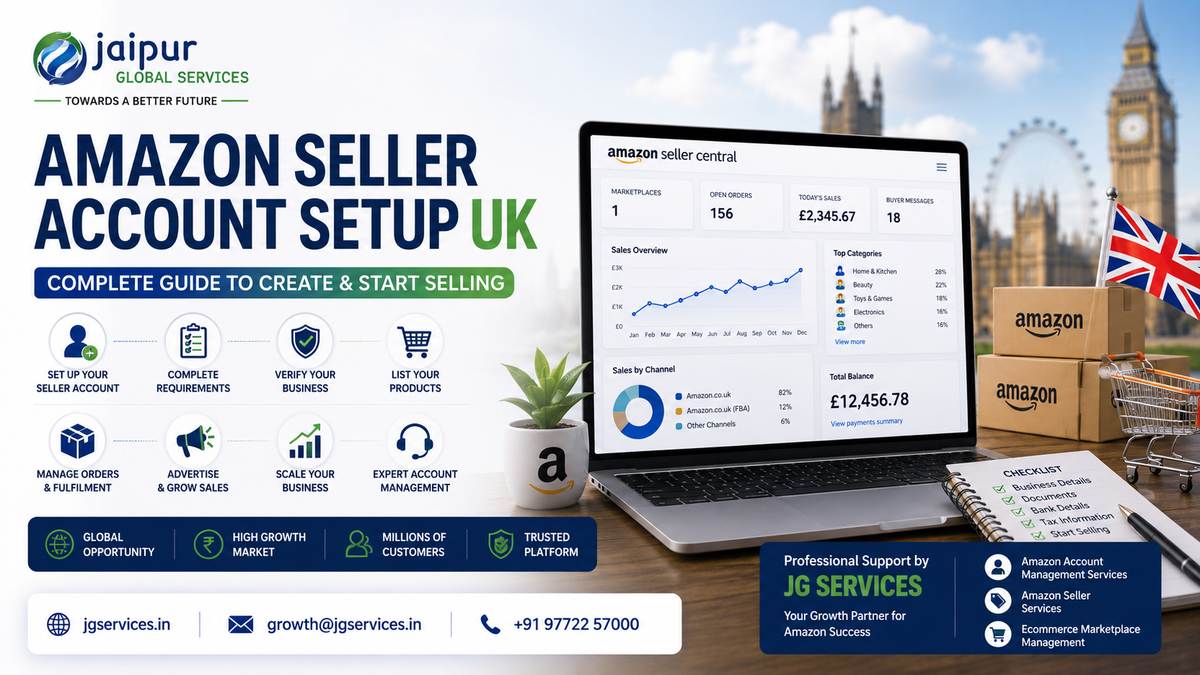
If you're researching Amazon seller account setup UK, you've probably already decided the UK marketplace is worth exploring. What most guides don't tell you is that registering the account is genuinely the easy part. The harder, more useful question is what happens after — how you actually get from an approved account to a business that sells consistently.
This guide covers both halves. We'll walk through who can sell on Amazon UK, what documents you need, how to set up Amazon seller account UK step by step, what Seller Central UK actually does, what it costs, VAT considerations, FBA versus FBM, listing your products properly, running PPC, and — because so many guides stop right after registration — a clear breakdown of what to do once your account is live.
One thing worth saying upfront: Amazon's fees, selling plans, and VAT rules change periodically, and HMRC guidance is updated from time to time too. The figures in this guide reflect current information at the time of writing, but always confirm the latest numbers directly through Seller Central or gov.uk before making decisions based on them.
Who Can Sell on Amazon UK?
Amazon UK is open to individuals and businesses, including sellers based outside the UK. You don't need a UK company or a UK office to register — plenty of international sellers, including many from India, run active Amazon UK accounts without a UK entity.
To sell, you generally need:
- A registered business or the legal standing to trade as an individual seller, depending on your country and the selling plan you choose
- Valid identification for the person registering the account
- A bank account that can receive payments in an accepted currency
- The ability to meet UK-specific obligations, including VAT registration where it applies, and product compliance requirements for your category
Amazon does distinguish between Individual and Professional sellers, and certain categories are gated and require additional approval regardless of which plan you're on. If you're planning to use FBA, run advertising, or sell in more than a small handful of listings, a Professional account is the realistic starting point.
Amazon UK Seller Account Requirements
This is usually the first thing people search for, so let's go through it properly. Amazon doesn't ask every seller for an identical document set — what's requested can vary depending on your business type, country, and how the verification system flags your application — but most applicants should expect to provide the following.
Business information
Your legal business name, business type (sole trader, private limited company, partnership, and so on), registered business address, and business location. If you're registering as an individual rather than a company, you'll provide your personal details instead.
Identity verification
A government-issued ID — a passport is generally the most widely accepted — for the account owner or authorised signatory. Amazon may also request a selfie or video verification as part of confirming identity.
Proof of address
A recent document, such as a bank statement or utility bill, confirming the registered business or personal address on file.
Business registration documents
Where applicable, incorporation certificates, GST registration, or an equivalent document proving the business is legally registered in its home country.
Bank account information
A bank account in your name or your business's name that can receive international payments — this is where Amazon deposits your sales proceeds.
Credit or debit card information
A valid card used as the account's default payment method for charges like subscription fees. This is separate from the bank account Amazon pays you into.
Store and product information
Basic details about what you plan to sell, your store name, and sometimes your business's product categories.
Tax information
Tax identification details from your home country, and a UK VAT number once you're required to have one — more on this below, since it trips up a lot of new sellers.
Requirements can vary depending on your specific circumstances, and Amazon may request additional documents mid-application if something needs clarifying. Treat this list as the baseline, not a guarantee of exactly what you'll be asked for.
How to Create Amazon UK Seller Account
Here's the practical, step-by-step version of setting up amazon seller account UK — what to prepare and what actually happens at each stage.
Step 1 – Choose the right selling plan
Decide between Individual and Professional before you start. If you expect to sell more than roughly 30–35 items a month, want access to advertising, or plan to sell in a restricted category, Professional is generally the more sensible choice from day one — switching later is possible but adds friction.
Step 2 – Create your Amazon seller account
Register through Amazon's seller sign-up flow, selecting the UK marketplace. If you already sell on Amazon elsewhere, check whether you can add the UK marketplace to your existing account rather than starting a completely new one.
Step 3 – Enter your business information
Provide your business name, type, and registered address exactly as they appear on your official documents. Mismatches between what you type and what's on your paperwork are one of the most common causes of delayed verification.
Step 4 – Add seller and contact information
Add the details of the person responsible for the account — usually the business owner or an authorised representative — along with a working phone number and email address Amazon can reach you on.
Step 5 – Add billing information
Enter a valid credit or debit card. Amazon uses this for subscription and service charges, separate from the bank account you'll be paid into.
Step 6 – Add bank account information
Provide the bank account where you want to receive sales proceeds. This needs to match the business or individual name on your application.
Step 7 – Add store and product information
Give basic details about your store and what you intend to sell. This helps Amazon route your account correctly, especially if you're planning to sell in a gated category.
Step 8 – Complete identity verification
Submit your ID and any additional documents Amazon requests. This step can include a video call. Clear, unedited, legible documents move faster than blurry scans or cropped images.
Step 9 – Complete required tax information
Provide your tax details, and register for UK VAT if your situation requires it (see the VAT section below) before you start storing inventory in the UK or generating meaningful sales.
Step 10 – Access Seller Central and prepare to sell
Once approved, you'll have full access to Seller Central UK. This is where the actual business starts — building listings, setting up FBA if you're using it, and getting ready to launch.
What Is Amazon Seller Central UK?
Amazon Seller Central UK is the dashboard you'll use to run every part of your Amazon UK business. It's the same core platform Amazon uses across its marketplaces, configured for UK settings — currency, VAT, and local compliance fields.
Inside Seller Central, you can:
- Create and edit product listings
- Manage inventory, including FBA shipments
- Track and fulfil orders
- Set and adjust pricing
- Access payment and disbursement reports
- Run and manage Amazon PPC campaigns
- Monitor account health and seller performance metrics
- Handle customer returns and messages
- Review sales, traffic, and advertising reports
If you've used Seller Central for another Amazon marketplace, the layout will feel familiar. The main differences are marketplace-specific — GBP pricing, UK VAT settings, and UK-specific compliance fields.
How Much Does It Cost to Sell on Amazon UK?
The subscription fee is only one line in the real cost of selling. As of this writing, the Individual plan charges a fixed per-item fee (roughly £0.75, plus VAT) with no monthly subscription, while the Professional plan is a flat monthly fee (roughly £25, excluding VAT) regardless of how much you sell. Always check current figures on Seller Central, since Amazon updates pricing periodically — recent changes have included reduced referral fees in some categories and adjustments to FBA fulfilment fees, so numbers you find in older articles may already be outdated.
Beyond the selling plan, budget for:
Cost category
What it covers
Referral fee
A percentage of each sale, typically 8–15% depending on category, with a minimum fee per item
FBA fulfilment fee
Per-unit charge for picking, packing, and shipping, based on size and weight
Storage fees
Monthly charge based on space occupied in Amazon's UK warehouses — these rise significantly during the October–December peak period
Returns processing
Costs associated with handling customer returns, which vary by category
Amazon PPC / advertising
Ad spend needed to gain visibility, particularly for new listings
VAT
VAT owed on UK sales once you're registered, plus any accounting support
Product preparation
Packaging, labelling, and prep work required before sending stock to FBA
Shipping to the UK
Freight, customs, and import costs if you're shipping inventory from outside the UK
A useful exercise before you commit inventory: work out product cost + Amazon fees + fulfilment + advertising + storage + returns + VAT where applicable, and see what's actually left as margin. This is where sellers who skip the math often discover their pricing barely covers costs once everything is added up.
Amazon UK FBA vs FBM: Which Is Better?
Neither option is universally better — it depends on your product, margins, and how much operational control you want.
FBA (Fulfilment by Amazon):
- Amazon stores your inventory in its UK fulfilment centres
- Amazon handles order picking, packing, and shipping
- Orders become eligible for Prime, which tends to help conversion
- Amazon manages most customer service and returns for FBA orders
- You pay fulfilment fees per unit plus monthly storage fees
FBM (Fulfilled by Merchant):
- You or your logistics partner store and ship the inventory
- You manage customer service and returns yourself, or through Seller Fulfilled Prime if you qualify
- More control over packaging, timing, and stock levels
- No FBA storage or fulfilment fees, but you carry the shipping and operational load
Factor
FBA
FBM
Prime eligibility
Yes, by default
Only via Seller Fulfilled Prime, with strict requirements
Who ships orders
Amazon
You or your logistics partner
Upfront cost
Higher — inventory sent in bulk ahead of demand
Lower — ship as orders come in
Best suited for
Fast-moving, smaller items with steady demand
Bulky, fragile, or slow-moving items; early-stage testing
If you're shipping from outside the UK, FBA reduces the operational burden once stock lands, but it means committing inventory in advance and accepting Amazon's storage cost structure. FBM gives more control with lower upfront risk, but managing UK-based shipping and returns from abroad is genuinely harder to do reliably.
VAT and Tax Considerations for Amazon UK Sellers
This is one of the most misunderstood areas of Amazon UK selling, so it's worth being precise rather than general.
UK-established businesses register for VAT once their taxable turnover crosses the standard registration threshold in a rolling 12-month period. That threshold does not apply in the same way to overseas sellers. If your business is not established in the UK and you're storing inventory in a UK fulfilment centre — which happens automatically with FBA — HMRC generally expects VAT registration from your first taxable supply, not once you hit a turnover threshold. This catches a lot of new international sellers off guard, because it's a different rule from the one that applies to UK-based businesses.
It's also worth knowing that a UK VAT registration is separate from any EU VAT registrations you might hold — one doesn't cover the other, and Amazon UK operates independently of EU VAT schemes like OSS.
Because your actual obligation depends on:
- Where your business is established
- Where your inventory is physically stored
- Whether you're using FBA, FBM, or a mix
- Your sales activity and whether Amazon is collecting VAT on your behalf under marketplace rules
— it's not accurate to say every seller must register the same way or at the same point. What's fair to say is that most non-UK sellers using FBA in the UK will need to register earlier than they expect. Getting this sorted before inventory arrives, rather than after Amazon or HMRC flags it, saves a lot of stress later. Current HMRC guidance on gov.uk is the right place to confirm your specific obligations, and a qualified tax professional familiar with UK ecommerce VAT is worth involving early if you're unfamiliar with the process.
Amazon UK Product Compliance: What Sellers Should Check
Not every compliance requirement applies to every product — this depends heavily on your category and materials — but here's what's worth checking before you commit stock to the UK market.
- Product safety and labelling. UK product safety law requires accurate labelling, warnings, and instructions appropriate to the product category.
- UKCA and CE marking. Since Brexit, many products need UKCA marking to be sold in Great Britain, and the rules around when CE marking is still accepted have shifted over time — this needs checking per category rather than assumed.
- Packaging and EPR. UK Extended Producer Responsibility rules for packaging apply to many businesses selling packaged goods, with reporting obligations that depend on business size and packaging volume.
- Category-specific documentation. Categories like toys, electronics, cosmetics, and supplements often carry extra certification or testing requirements before they can be listed.
- Restricted and gated categories. Some categories require Amazon approval before you can list at all, separate from general compliance requirements.
The safest approach is checking your specific product category against current UK requirements — ideally with a compliance specialist or through Amazon's own resources — before sending stock, not after a listing gets blocked.
How to List Products on Amazon UK
Getting approved is only step one. How you list products on Amazon UK determines whether anyone actually finds and buys them.
- Product research first. Check real UK demand and competition before committing inventory — a strong seller in another market doesn't automatically translate.
- Product titles, bullet points, and descriptions written for UK shoppers. UK buyers often use different phrasing and spelling conventions than sellers expect, even within English.
- Search terms and backend keywords localised properly, not copied from a listing built for a different market.
- Clear, well-lit product images that answer common buyer questions — size, materials, and use case — without relying on the description.
- Pricing that reflects your full cost stack, not just what looks competitive at a glance.
- Product variations set up correctly, so size, colour, or style options don't fragment your reviews or confuse buyers.
- A+ Content where your account is eligible, which tends to support conversion by answering questions directly on the page.
- Reviews and early social proof, which matter a lot for a new listing's credibility.
- Conversion rate as your key early signal — if traffic isn't converting, the fix is usually the listing or price, not more advertising spend.
Simply copying an Amazon India listing rarely works well here. UK customers search differently, expect different information upfront, and respond to different presentation norms. This is also where professional support makes a real difference — Amazon seller services that include listing optimisation and Amazon account management can help close that gap faster than trial and error.
Amazon PPC for New UK Sellers
New listings rarely get much organic visibility on their own, especially in competitive categories. Amazon PPC is usually necessary to get early traffic and reviews moving.
- Sponsored Products are the standard starting point — ads shown in search results and on product pages, tied to keywords or products.
- Keyword targeting should reflect how UK shoppers actually search, which won't always match keyword research done for another market.
- Campaign structure matters — separating campaigns by product or goal makes performance easier to read and act on.
- Budget control should start cautious while you gather data, then scale based on what's actually converting.
- Search term reports show the exact terms shoppers typed before clicking — feed that data back into both your ads and your listing keywords.
- ACOS and TACOS are the usual metrics for judging whether ad spend is sustainable against sales.
PPC works best when the listing behind it is already solid — competitive pricing, clear images, and a title that matches search intent. Sending traffic to a weak listing usually just burns budget without much to show for it, and no campaign can fully compensate for a listing that isn't ready.
Can Indian Sellers Set Up an Amazon UK Seller Account?
Yes. Indian businesses regularly register and sell on Amazon UK, and you don't need a UK company to do it. A few things are worth preparing for specifically as an Indian seller:
- Business registration and verification work the same as for any international applicant — Amazon will need your Indian business registration and identity documents, and incomplete paperwork is the most common reason verification slows down.
- Banking and payment details need to support international transfers, and your bank account name should match your business registration to avoid delays.
- VAT applies regardless of where your business is based. As covered above, non-UK sellers using FBA generally need to register for UK VAT much earlier than UK-based businesses do — this isn't something that only kicks in once you're doing significant volume.
- UK fulfilment and FBA logistics need real planning — freight from India, customs clearance, and getting inventory into Amazon's UK warehouse network takes longer than domestic restocking, so build that lead time into your inventory planning.
- Shipping from India involves duties and import procedures that should be mapped out before you commit to a product, not after stock is already in transit.
- Product compliance applies the same way to Indian-made goods as UK or EU-made goods — there's no exemption for imported products.
- UK listing localisation matters as much as translation — a listing that reads naturally to a UK shopper converts better than a direct copy of an Indian listing.
- Pricing in GBP needs to account for currency conversion, any conversion fees, and margins that hold up after VAT and Amazon fees.
- Customer expectations and returns in the UK tend to be strict about delivery timing and product accuracy — meeting these well matters for account health, not just individual orders.
- Inventory planning needs a buffer, since restocking from India isn't fast if you sell out.
None of this rules out Amazon UK for Indian sellers — it just means treating it as a genuine market entry, with its own logistics, compliance, and localisation work, rather than a copy of an existing Amazon India setup.
What to Do After Your Amazon UK Seller Account Is Approved
This is the part most setup guides skip, and it's arguably the more important half.
- Finish setting up Seller Central — payment settings, notification preferences, and any additional user permissions you need.
- Check your account health dashboard so you know your starting position and what metrics Amazon is tracking.
- Add your products with complete, accurate information rather than rushed placeholder listings.
- Optimise listings for UK search behaviour before you start driving traffic to them.
- Set pricing based on your full cost calculation, not a rough guess at what looks competitive.
- Choose FBA or FBM for each product based on size, margin, and how fast it's likely to move.
- Plan inventory with realistic lead times, especially if you're shipping from outside the UK.
- Launch PPC once listings are ready to convert, not before.
- Monitor sales regularly rather than checking in occasionally.
- Track profitability, not just revenue — fees, ads, and returns all eat into what looks like a good sales number.
- Manage customer service and returns promptly, since response time and resolution affect account health.
- Adjust listings based on performance data — search term reports, conversion rate, and review feedback all point to what needs fixing.
Sellers who treat these twelve steps as the real start of the business, rather than an afterthought to registration, tend to build more sustainable accounts.
Common Amazon UK Seller Account Setup Mistakes
A few patterns show up repeatedly with new UK sellers:
- Entering business information that doesn't exactly match official documents
- Name or address mismatches between different documents submitted for verification
- Uploading blurry, cropped, or otherwise unclear documents
- Ignoring or delaying verification requests, which stalls the whole application
- Choosing the wrong selling plan for actual sales volume
- Assuming UK VAT only applies after reaching a large turnover, when overseas FBA sellers often need to register much earlier
- Listing products without checking category restrictions first
- Copying Amazon India listings without adapting them for UK shoppers
- Underestimating FBA and storage costs when setting prices
- Starting PPC campaigns before the listing itself is ready to convert
- Ignoring account health metrics until a problem escalates
- Sending too much inventory before demand is confirmed
- Never calculating total marketplace costs, so real margins stay unclear until it's too late
Most of these are avoidable with basic planning — they trip up sellers mainly because Amazon UK gets treated as a copy-paste of an existing account rather than its own market.
When Should You Use Amazon Account Management Services?
Setting up amazon seller account UK is the starting line, not the finish. Once the account is live, there's ongoing work — listings, catalogue updates, PPC, inventory coordination, account health monitoring, and compliance — and doing all of that consistently, on top of running the rest of a business, is where a lot of sellers get stretched thin.
Need Help Managing Your Amazon UK Seller Account?
This is where an established partner like Jaipur Global Services (JG Services) can be useful. JG Services works with Amazon sellers on Amazon Account Management Services, covering ongoing listing updates, catalogue management, order and inventory coordination, and account health monitoring. For sellers who need advertising handled properly rather than left to guesswork, JG Services also offers Amazon PPC management built around keyword and budget data rather than a set-and-forget approach.
Beyond Amazon-specific work, JG Services provides broader ecommerce marketplace management and consulting for sellers expanding into new markets, along with accounting and taxation support for VAT and compliance-related questions that come up along the way.
If you're weighing whether outside support makes sense, it's usually worth it once you're spending more time firefighting account issues than actually growing sales — that's typically the point where professional Amazon seller support starts paying for itself rather than adding cost.
Frequently Asked Questions
How do I create an Amazon UK seller account?
Choose a selling plan, register through Amazon's seller sign-up process for the UK marketplace, and provide your business information, identity documents, bank details, and tax information. Amazon will verify your details before granting full access to Seller Central UK, which is when you can start listing products.
How much does an Amazon UK seller account cost?
The Individual plan charges a per-item fee with no monthly cost, while the Professional plan charges a flat monthly subscription regardless of sales volume. On top of that, referral fees, FBA fees if applicable, VAT, and advertising costs all add to your real cost of selling. Always check current pricing on Seller Central before budgeting.
Can Indian sellers sell on Amazon UK?
Yes. Indian businesses can register and sell on Amazon UK without a UK company. You'll need standard business and identity documents, and you should plan for UK VAT registration, product compliance, and realistic shipping timelines from India, since these requirements apply to overseas sellers the same way they apply to UK-based ones.
What documents are required to set up an Amazon UK seller account?
Typically identity proof, business registration documents, proof of address, bank account details, a valid card, and tax information including a UK VAT number once required. Amazon may ask for additional documents depending on your business type and product category.
Do I need a UK address to sell on Amazon UK?
No, you don't need a UK address or a UK company to register. What you do need is a way to meet UK VAT obligations where they apply, and a plan for shipping and fulfilment, since operating without any UK presence means either using FBA or arranging reliable international shipping.
Can I use Amazon FBA in the UK?
Yes, FBA is widely used on Amazon UK and gives Prime eligibility without managing UK logistics yourself. It comes with fulfilment and storage fees, and for overseas sellers, it typically creates a UK VAT registration requirement from the point inventory is stored there, regardless of sales volume.
Final Thoughts
Setting up an Amazon UK seller account is the easy, mechanical part of this whole process. What actually determines whether the business works is everything that follows — product selection, listings built for UK shoppers, pricing that holds up after VAT and fees, choosing FBA or FBM sensibly, running PPC that's connected to a listing worth clicking, and staying on top of account health as you grow.
You don't have to figure all of this out alone. If you're planning to sell on Amazon UK and want support with account management, listings, PPC, or broader marketplace strategy, JG Services can help you look at where things stand and plan the next steps from there.