
Amazon Sponsored Brands Video: Strategies to Optimize Your Campaigns
 June 1, 2026
 Yashwardhan Singh
 0 Comments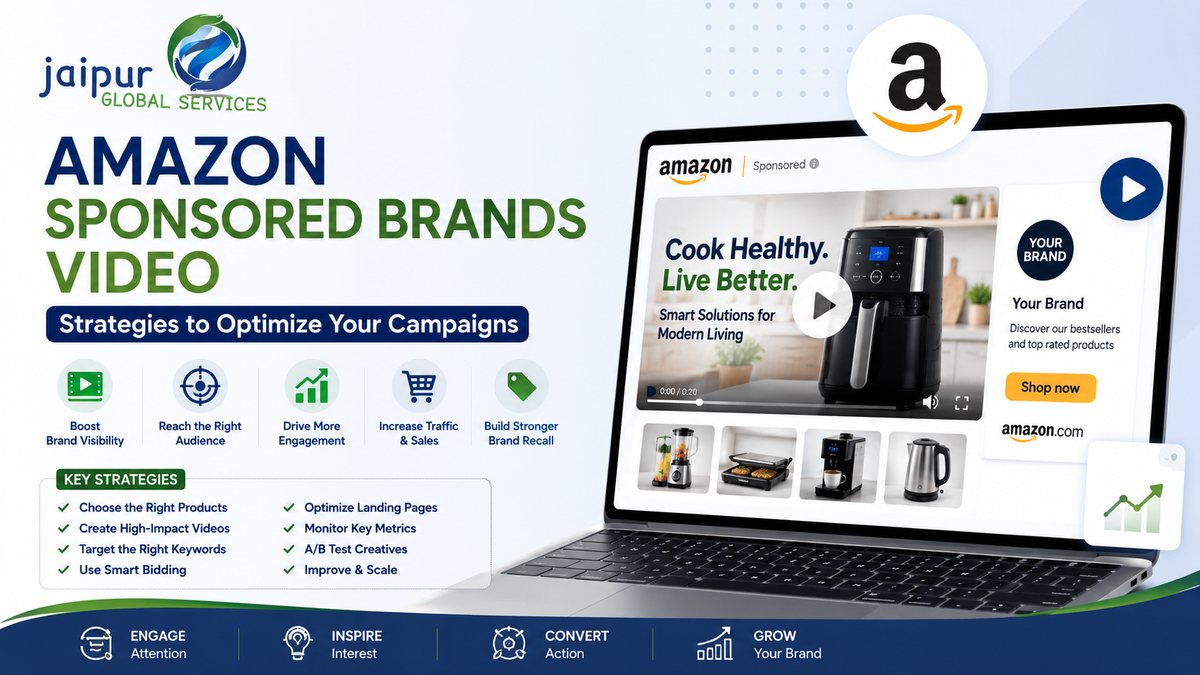
Shoppers scrolling Amazon search results see a lot of near-identical listings — same product type, similar images, comparable prices. A static ad can communicate a product name, a price, an image, a star rating. It can't show the product actually being used, demonstrate what makes it different, or build any real sense of the brand behind it.
Sponsored Brands video gives brands a way to combine paid Amazon visibility with video creative — but uploading a video and turning a campaign on doesn't guarantee it performs. Results depend on targeting, creative quality, whether the product itself is a good fit for paid traffic, bid strategy, budget, the landing destination, and ongoing optimization based on real performance data. This guide works through each of those, based on Amazon's own current ad specifications and guidance.
What Are Amazon Sponsored Brands Video Ads?
Sponsored Brands is Amazon's advertising solution for helping shoppers discover a brand within the Amazon store, using video, image, or product-collection creative. Sponsored Brands video specifically lets advertisers use video as the creative format within a Sponsored Brands campaign, targeting shoppers through keywords, categories and products.
Per Amazon's own documentation, Sponsored Brands video campaigns connect to one of two destinations:
- Product Detail Page campaigns — best for connecting shoppers directly with a specific product; shown in shopping results and on detail pages.
- Brand Stores campaigns — directs shoppers to a Brand Store, an effective way to build brand equity, shown above and below the fold in search results.
Sponsored Brands video ads can also appear within detail pages themselves, giving brands another surface for discovery beyond search results.
How Sponsored Brands Video Works
The mechanics, in sequence: a brand submits video creative through the Sponsored Brands campaign builder, sets targeting (keywords, categories or products), enters the Sponsored Brands auction against other advertisers bidding on the same targets, and — if the ad wins placement — the video appears to a shopper. The video autoplays muted once at least 50% of it is on-screen; a mute toggle sits in the lower-right corner for shoppers who want sound. A click sends the shopper to the Brand Store or Product Detail Page set as the campaign destination, where the actual purchase decision happens.
Keywords, product targeting, bids, budget, creative quality, and the landing destination all interact to determine whether that sequence ends in a sale — weakness in any one of them limits what the others can achieve.
When Should You Use Sponsored Brands Video?
Sponsored Brands video tends to fit well for:
- New product launches — introducing the product, brand, and what differentiates it to shoppers who've never encountered it.
- Brand awareness goals — when the objective is exposure to the brand generally, not just a single product sale.
- Competitive categories — where a static image struggles to communicate what actually sets a product apart from near-identical alternatives.
- Products needing education — complex features, multiple use cases, or anything better shown than described in bullet points.
- Driving Brand Store traffic — for brands with a built-out Store worth sending relevant shoppers to.
- Seasonal campaigns — Diwali, Christmas, back-to-school, wedding season, and similar periods where category demand and shopper attention both spike.
It isn't automatically the right format for every situation — a straightforward, well-understood commodity product with strong existing reviews may get more value from Sponsored Products campaigns than from video-driven brand awareness spend.
Choose the Right Campaign Objective
The creative and campaign setup should follow the objective, not the other way around:
- Awareness — emphasize brand identity, product introduction, emotional connection, and differentiation from category norms.
- Consideration — emphasize product benefits, features, demonstration, and real use cases.
- Purchase — emphasize product value, the strongest differentiator, a clear benefit statement, and a landing destination that continues the argument the video started.
The objective should shape the video script, the targeting strategy, the landing destination, the CTA framing, and which metrics actually matter for judging success.
Choose the Right Products for Sponsored Brands Video
Not every ASIN deserves paid video spend. Good candidates tend to have a real sales history, solid reviews, competitive pricing, healthy inventory, a strong detail page, good images already in place, a clear point of differentiation, and margin that can absorb advertising cost.
This matters because advertising can amplify a strong listing, but it can't fix a weak one. Sending paid video traffic to a product-detail page with thin content, poor images, or weak reviews usually produces clicks that don't convert — the money is being spent to expose a weakness, not a strength.
Create a Video That Works for Sponsored Brands
Amazon's own creative guidance, directly from its ad-specs page, boils down to a few consistent points:
- Make a strong first impression — show the product or something genuinely interesting within the first few seconds. Save the brand name and logo for later in the video, not the opening.
- Keep it brief and focused — the video's job isn't to explain everything about the product; it's to create enough curiosity that the shopper clicks through to the Brand Store or product page for the rest.
- Invest in production quality — clear, polished visuals build trust in the brand; blurry or low-effort footage undercuts the message regardless of how good the product actually is.
- Build brand identity consistently — consistent visuals, colors and style throughout, ending with a clear "end card" showing the brand name and logo.
Because Sponsored Brands video autoplays muted by default (viewers have to tap the mute toggle to hear audio), the video needs to work without sound: captions, on-screen text, and visual demonstration all matter more than voiceover for actually landing the message.
Avoid blurry footage, slow openings that delay showing the product, black screens, excessive animation, and text that's hard to read at a glance — all of these work against the "make a strong first impression" guidance directly from Amazon.
Build a Strong Sponsored Brands Video Script
A practical starting framework for a roughly 20-second video (adjust timing to the actual product and message — this isn't a rigid formula):
- 0–2 seconds — hook / product shown immediately
- 2–5 seconds — the main benefit, stated simply
- 5–12 seconds — product demonstration in context
- 12–16 seconds — the differentiator or supporting proof
- 16–20 seconds — brand identity and CTA (end card)
Longer or more complex products may need more time within Amazon's 6–45 second allowance — but Amazon's own recommendation of 20 seconds or less is worth taking seriously as a default, not an arbitrary suggestion.
Use Keywords Strategically
Keyword targeting for Sponsored Brands video generally splits into a few categories worth separating in campaign structure: high-intent, category-specific keywords, brand keywords (the business's own name and product line terms), generic/non-brand keywords describing the product category broadly, and long-tail keywords capturing more specific search intent.
Separating brand keywords from generic keywords from competitor/product targeting into distinct campaigns makes reporting and optimization considerably easier — mixed campaigns make it hard to tell whether performance is being driven by cheap brand-defense clicks or genuinely competitive non-brand traffic. Avoid the temptation to target thousands of loosely relevant keywords at once; a smaller, well-chosen set that's actually monitored outperforms a huge, unmanaged list.
Use Product Targeting
Beyond keywords, Sponsored Brands video supports product targeting — competitor products, complementary products, category pages, and specific relevant ASINs.
Product targeting makes sense when there's a genuine, relevant connection: a competitor selling a comparable product to the same shopper intent, or a complementary product whose buyers are plausible customers too. It wastes budget when targets are chosen purely because they get high traffic, without regard to actual relevance — a high-traffic but irrelevant ASIN produces clicks from shoppers who were never going to buy the advertised product.
Build a Better Campaign Structure
A practical example structure many advertisers find useful:
- Campaign 1 — Sponsored Brands Video, Brand Keywords
- Campaign 2 — Sponsored Brands Video, Generic Keywords
- Campaign 3 — Sponsored Brands Video, Competitor/Product Targeting
- Campaign 4 — Sponsored Brands Video, Category Targeting
Splitting this way gives cleaner reporting, better budget control per targeting type, easier bid management, and clearer performance analysis — it's much easier to see that generic-keyword traffic is underperforming brand-keyword traffic when they're not blended into one report. This isn't a mandatory structure — the right architecture depends on account size, catalog complexity, and how much campaign management bandwidth is actually available.
Set the Right Budget
Budget should follow the advertising objective, product margin, expected traffic volume, competitive intensity in the category, historical performance data (where available), available inventory, and how mature the campaign already is.
There's no honest universal starting number here. A smaller brand can reasonably start with controlled, limited-budget testing, gather real performance data, and scale spend once that data supports it — rather than committing a large budget to an untested creative and targeting mix.
Optimize Bids
Increase bids when a target is genuinely relevant, conversion rate is strong, ACOS/ROAS sits at an acceptable level, impression share is limited by low bids rather than low relevance, and the campaign shows real profitable growth headroom.
Reduce bids when spend is high relative to sales, a target is poorly relevant, ACOS is consistently too high, or conversion rate is weak despite decent traffic volume.
It's worth being explicit: bid decisions shouldn't be made on clicks alone. A target generating plenty of clicks but no sales isn't a bidding win — it's wasted spend that a click-only view would miss.
Optimize CTR
CTR is shaped by what happens in the first seconds of the video, how quickly the product becomes visible, message clarity, targeting relevance, how the creative presents itself in the placement, and general brand familiarity among the audience being targeted.
Practical levers: show the product immediately rather than building up to it, demonstrate a genuinely unique feature early, cut slow or generic introductions, simplify the core message to one clear idea, test different hooks against each other, and make sure the video's message actually matches the search intent behind the keywords it's targeting.
Optimize Conversion Performance
CTR alone doesn't tell the full story. A video can generate strong clicks and still convert poorly if the product detail page itself is weak, pricing is uncompetitive, reviews are thin or negative, the product doesn't genuinely match the intent behind the keyword that triggered the ad, the video implies something the listing doesn't actually support, or the landing destination feels disconnected from what the video promised.
Where conversion is weak despite decent traffic, the fix is often on the listing side, not the ad side: product images, title, bullet points, A+ Content, pricing, review volume and quality, inventory availability, and whether the landing destination genuinely continues the story the video started.
Brand Store Optimization for Sponsored Brands Video
When using a Brand Store as the campaign destination, the store needs to actually deliver on what the video promised: consistent messaging between video and Store, the advertised products featured prominently rather than buried, sensible category navigation, best-sellers highlighted, and no risk of sending an interested shopper to a page that feels unrelated to what drew them in.
The landing experience should read as a continuation of the video's story, not a separate, disconnected destination the shopper has to re-orient themselves within.
Measure Sponsored Brands Video Performance
Core metrics worth tracking: impressions, clicks, CTR, CPC, spend, sales, orders, conversion rate, ROAS, ACOS, new-to-brand metrics where available, and Brand Store engagement where the campaign points there.
Each tells a different part of the story — impressions and CTR speak to whether the creative and targeting are earning attention; conversion rate and ROAS speak to whether that attention is actually turning into profitable sales. Reviewing only one side of that (CTR without ROAS, or vice versa) gives an incomplete, sometimes misleading picture of how a campaign is actually performing.
A/B Test Your Sponsored Brands Video
Worth testing systematically: the opening hook, the initial product shot, how the main benefit is framed, the demonstration sequence, the CTA, video length, text overlay style, lifestyle-focused versus straight product-demo framing, and when the brand introduction lands.
Change one meaningful variable at a time where possible — testing several changes simultaneously makes it much harder to know which change actually drove a performance difference, and can lead to the wrong conclusion about what's working.
Common Sponsored Brands Video Mistakes
- Opening with a long logo animation instead of the product
- Showing the product too late in the video
- Overloading the video with on-screen text
- Making the video longer than the message actually needs
- Using unclear or low-quality visuals
- Ignoring that most viewers watch with sound off by default
- Sending traffic to a landing destination unrelated to the video's message
- Targeting overly broad, low-relevance keywords
- Using the same bid across every target regardless of relevance or performance
- Ignoring product-level profitability when evaluating campaign success
- Advertising listings that aren't actually ready for paid traffic
- Never testing alternative creative
- Reviewing campaigns only occasionally instead of on a regular cadence
- Optimizing for CTR alone while ignoring ACOS/ROAS
- Overlooking Amazon's advertising and creative acceptance policies, risking rejection or delays
Amazon Sponsored Brands Video Creative Policies
Per Amazon's official guidance: video text and voiceover should match the language of the marketplace it's shown in (English on-screen text for English-speaking locales, and so on — with subtitles or separate versions recommended for brands selling across multiple marketplaces). Avoid letterboxing or pillarboxing (horizontal or vertical black, color, or blurred bars). Keep important text and information out of the lower-right corner of the frame, since that's where the mute toggle sits. All content must be suitable for a general audience and comply with relevant laws and Amazon's sponsored ads creative acceptance policies — ads that don't meet these won't be accepted into the auction at all.
Optimizing Sponsored Brands Video for Mobile Shoppers
Given how much Amazon browsing happens on mobile, the product should be visually obvious even on a small screen, text needs to stay readable at that size, product shots shouldn't be so small they lose detail, contrast should be strong enough to read quickly, captions matter for silent viewing, the core message should stay simple, the opening needs to move fast, and the overall frame should avoid visual clutter that gets harder to parse on a smaller display.
Sponsored Brands Video Strategy for Indian Amazon Sellers
For sellers on Amazon.in, marketplace language matters directly per Amazon's own policy guidance — on-screen text and voiceover should match the marketplace's language, which for most Indian sellers means clear English content, with consideration for regional-language creative where it genuinely fits the target audience. Festival-driven campaigns (Diwali, wedding season, and similar high-demand periods) tend to reward video that demonstrates real, locally relevant use cases rather than generic global creative. Price-sensitive and highly competitive categories on Amazon.in often benefit more from creative that clearly demonstrates a specific differentiator than from broad brand-awareness framing alone.
This article won't make unsupported claims about Indian consumer behavior beyond what's directly observable — the practical takeaway is that marketplace-specific creative testing matters here as much as anywhere else, and shouldn't be assumed away just because a global creative already exists.
Sponsored Brands Video for New vs. Established Brands
New brands tend to get the most value focusing on brand introduction, clear product differentiation, general awareness, driving Brand Store visits, and educating shoppers on a product they've never encountered.
Established brands often get more value from product launch support, cross-selling between an existing catalog, reinforcing brand recall among people who already know the brand, reaching new-to-brand audiences specifically, seasonal campaign pushes, and — where appropriate and within Amazon's policies — competitor conquesting.
When Should You Hire an Amazon PPC Agency?
Professional support tends to help when a business is managing multiple ASINs, running meaningful advertising budgets, selling across multiple marketplaces, operating complex campaign structures, seeing consistently poor campaign performance without a clear internal fix, lacking dedicated internal PPC expertise, or needing structured ongoing optimization and reporting rather than occasional, reactive adjustments.
DIY management can be entirely sufficient for a small catalog, a modest budget, a simple campaign structure, and an owner or team member who has both the time and the working knowledge to manage it properly. An agency isn't a mandatory step for every seller — it's a fit for specific operational gaps.
How JGS Can Help With Amazon Advertising
JGS has run Amazon advertising and account management as an Amazon Service Provider Network partner for several years, working across account management, advertising optimization, listing content, and broader marketplace management for sellers on Amazon and other channels. That work spans campaign strategy, setup and ongoing management, keyword and product targeting, bid and budget management, and performance reporting.
Sponsored Brands video specifically isn't listed as its own separate service on JGS's site — so rather than invent a dedicated offering, this positions it accurately: Sponsored Brands video management sits within JGS's broader Amazon advertising and PPC management work, alongside Sponsored Products, Sponsored Display, and account-level advertising strategy.
We don't promise guaranteed ROAS, guaranteed ACOS, guaranteed sales, or guaranteed rankings from any advertising engagement — too many variables (product economics, category competition, listing quality, creative performance) sit outside what any advertising management can control on its own. What JGS can offer is structured campaign management built around a business's actual products, customers and growth goals, rather than simply spending more without a clear strategy behind it.
Talk to an Amazon Advertising Expert
Want to improve your Amazon advertising strategy instead of simply increasing ad spend? JGS can help you build and manage campaigns around your products, customers and growth goals.
Sponsored Brands Video Optimization Checklist
Creative
- Product shown in the first few seconds
- Main benefit communicated early
- Clear, high-quality visuals
- Understandable without sound
- Captions or on-screen text used where helpful
- Brand identity included, with an end card
- Strong, clear CTA
- No unsupported product claims
Campaign
- Correct campaign objective set
- Relevant, advertising-ready products selected
- Relevant keywords chosen
- Relevant product targets selected
- Bids set appropriately per target
- Budget controlled and appropriate to campaign maturity
- Correct landing destination chosen
- Brand Store optimized, if used as the destination
Optimization
- CTR reviewed regularly
- CPC reviewed regularly
- Conversion rate reviewed regularly
- ACOS/ROAS reviewed regularly
- Search term data reviewed for wasted spend
- Poor-performing targets reduced or paused
- Strong-performing targets expanded
- Creative tested against alternatives
- Underlying product listing kept optimized
Frequently Asked Questions
What are Amazon Sponsored Brands Video ads?
A Sponsored Brands ad format that uses video creative to help shoppers discover a brand and its products in Amazon search results and on product detail pages, connecting through to a Brand Store or a Product Detail Page.
How do Sponsored Brands Video ads work?
Advertisers submit video creative and set targeting (keywords, categories or products), bid in the Sponsored Brands auction, and — if placed — the video autoplays muted to shoppers, who can click through to the chosen landing destination.
How long should an Amazon Sponsored Brands Video ad be?
Between 6 and 45 seconds per Amazon's official specifications, with 20 seconds or less highly recommended by Amazon itself.
What's the difference between Sponsored Brands Video and Sponsored Products Video?
Sponsored Brands video is a standalone, single-creative campaign format connecting to a Brand Store or product page. Sponsored Products video is a newer format that adds 1–5 short, navigable "product feature" videos to an existing Sponsored Products campaign for a single product.
Where can Sponsored Brands Video ads appear?
In Amazon shopping search results and on product detail pages, on both desktop and mobile.
What should I include in a Sponsored Brands Video?
The product or something attention-grabbing within the first few seconds, a clear core benefit, a brief demonstration, consistent brand identity, and a clear call to action — kept understandable without sound.
How do I improve Sponsored Brands Video CTR?
Show the product immediately, lead with a clear differentiator, cut slow introductions, simplify the message, and make sure the creative genuinely matches the search intent it's being shown against.
How do I optimize Sponsored Brands Video bids?
Raise bids on relevant targets with strong conversion and acceptable ACOS/ROAS; lower or pause bids on targets with high spend, weak relevance, or consistently poor conversion — using sales data, not clicks alone.
Should Sponsored Brands Video ads link to a Brand Store or product page?
It depends on the objective — Brand Store campaigns build broader brand equity and work well for awareness goals, while Product Detail Page campaigns connect shoppers more directly to a specific product for consideration or purchase-focused campaigns.
How much should I spend on Sponsored Brands Video?
There's no universal figure — budget should reflect the objective, product margin, expected traffic, competitive intensity, and available performance data, with smaller brands typically starting with controlled testing before scaling spend.
Why are my Sponsored Brands Video ads getting clicks but no sales?
This usually points to the landing experience rather than the video itself — check product pricing, reviews, listing quality, whether the destination matches the video's promise, and whether the targeting is actually reaching shoppers with genuine intent for the product.
Can an Amazon PPC agency manage Sponsored Brands Video campaigns?
Yes — agencies with Amazon advertising experience typically manage Sponsored Brands video alongside other Sponsored Ads formats as part of broader account and campaign management.
Conclusion
Getting more from Amazon Sponsored Brands video comes down to a consistent set of principles: start with the right product, match the video to a clear campaign objective, capture attention in the first few seconds, keep the message focused, target with genuine relevance rather than broad reach, let performance data — not clicks alone — guide bid decisions, make sure the landing destination actually delivers on the video's promise, test creative deliberately, monitor profitability alongside visibility metrics, and stay within Amazon's current ad policies throughout.
Want to improve your Amazon advertising strategy instead of simply increasing ad spend? JGS can help you build and manage campaigns around your products, customers and growth goals.